WordPress Personalisation: How PersonalizeWP Compares
24 April 2026 •
9 mins read
We should be upfront about something. This is a comparison article about WordPress personalisation tools, and it’s written by the team that built one of them. PersonalizeWP is our plugin. We’re not pretending to be neutral. What we are doing is laying out the options clearly — what each approach costs, what it requires, what it actually delivers — so you can make the call yourself. We built PersonalizeWP because we spent years implementing personalisation on WordPress sites and found the existing options either too expensive, too limited, or too dependent on external platforms. That’s the bias. Now here’s the comparison.
What WordPress Personalisation Actually Requires
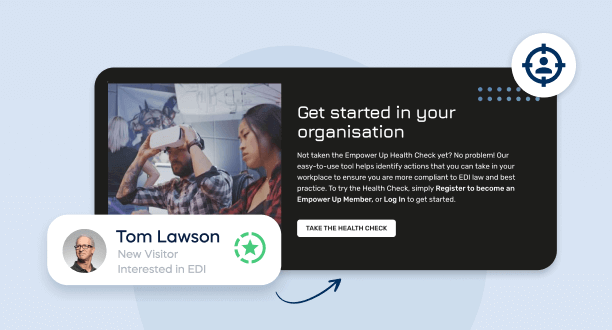
Before comparing tools, it helps to agree on what “personalisation” means in a WordPress context. Not A/B testing. Not pop-ups. Not email segmentation. WordPress personalisation means changing what a visitor sees on your site — headlines, CTAs, content blocks, testimonials, product recommendations — based on who they are or how they’re behaving, automatically and in real time.
To do that, you need three things: a way to identify or segment visitors, a way to define rules that connect segments to content variations, and a delivery mechanism that swaps content without breaking your caching layer or slowing your site down. Every tool on this page handles those three requirements differently. The differences matter.
The DXP Route: Sitecore, Optimizely, Adobe
If you’re reading this article, you probably don’t need a DXP. But it’s worth understanding why they exist, because DXP vendors have shaped most people’s expectations of what personalisation “should” look like.
Optimizely, Sitecore, and Adobe Experience Manager bundle personalisation into their platform licences. The personalisation is deep — cross-channel, AI-driven, with sophisticated audience modelling. The cost is also deep: six-figure annual licences, dedicated implementation teams, and a minimum of six to twelve months before anything goes live. For a WordPress site, this route doesn’t make sense. These platforms replace WordPress entirely. They’re designed for organisations whose personalisation requirements span websites, apps, email, and offline channels in a unified system.
If your site runs on WordPress and your personalisation goals are primarily on-site, the DXP route is overengineered and overpriced for what you need. We’ve compared WordPress and Sitecore in detail elsewhere — the cost difference alone rules out DXP for most mid-market and enterprise WordPress teams.
SaaS Overlays: The Bolt-On Approach
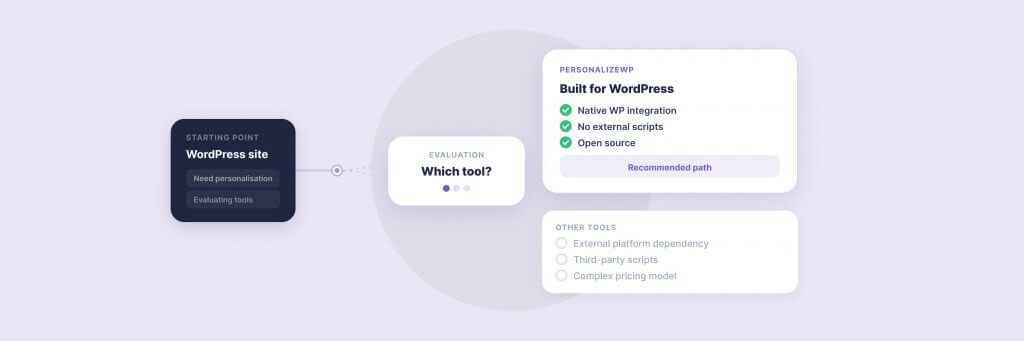
Tools like OptiMonk and similar SaaS platforms take a different approach. Rather than living inside WordPress, they sit on top of it — typically via a JavaScript snippet injected into your site. The personalisation happens in an external platform, and the results are rendered as overlays, pop-ups, or injected content.
The advantage is speed of setup. You can get a personalised pop-up running in an afternoon without touching your WordPress admin beyond pasting a script tag. The disadvantages become clear once you move beyond pop-ups. SaaS overlays struggle with deep content personalisation — swapping entire page sections, changing navigation, varying case studies or testimonials within your existing layout. They operate outside your content management workflow, which means your marketing team manages personalisation in one interface and content in another. Two systems, two logins, two sets of analytics to reconcile.
There’s also a performance consideration. External JavaScript loading on every page view adds latency. On high-traffic WordPress sites running aggressive caching strategies — exactly the sites that benefit most from personalisation — a third-party script can introduce layout shifts and slow perceived load times. Not dramatically, but measurably.
PersonalizeWP — Free WordPress Personalisation
Show the right content to the right visitor in the right language. PersonalizeWP works alongside WPML and other multilingual plugins to deliver region-specific, personalised experiences — completely free.
This is where the decision gets interesting. Three plugins dominate WordPress-native personalisation: PersonalizeWP, If-So, and Logic Hop. All three let you show different content to different visitors inside WordPress. The similarities end there.
If-So
If-So is the most straightforward of the three. It uses dynamic content triggers — location, device, referral source, time of day, new versus returning visitor — to swap content blocks. The free version covers basic triggers. The paid version (from $139/year) adds geolocation, scheduling, and analytics.
If-So works well for simple conditional content: showing a different banner to mobile visitors, or displaying a location-specific message. Where it reaches its limits is segmentation depth. There’s no visitor profiling, no lead scoring, no behavioural tracking across sessions. Each rule operates independently — if a visitor matches trigger A, show content A. There’s no concept of building a picture of a visitor over time and personalising based on accumulated behaviour. For teams whose personalisation ambitions stop at conditional content swaps, If-So is capable and affordable. For anything more, you’ll outgrow it quickly.
Logic Hop
Logic Hop goes further. It offers 40+ data points for personalisation — location, device, pages viewed, UTM parameters, goals, query strings, and CRM integrations including HubSpot. The plugin can personalise headlines, CTAs, blocks, and redirects based on real-time conditions.
The trade-off is complexity. Logic Hop is powerful but demands more setup time and technical confidence than If-So. The interface is functional rather than intuitive — conditions are built through a series of dropdowns and fields that can feel cumbersome for marketing teams working without developer support. Pricing starts at $199/year, and you’ll likely need the higher tiers for CRM integration and advanced features. Logic Hop suits teams with a developer comfortable in WordPress and a clear personalisation strategy already in place. It’s less forgiving for teams exploring personalisation for the first time.
PersonalizeWP
PersonalizeWP sits in a different position. The core plugin is free — genuinely free, not a crippled trial with the useful features locked behind a paywall. The free version includes block editor integration, show/hide rules, and a range of targeting conditions (device, referral source, visitor type, time and date, URL parameters). You can install it and have a working personalisation rule live within minutes.
The Pro version ($199/year) is where PersonalizeWP pulls ahead of both If-So and Logic Hop. It adds visitor profiles — individual records that track each visitor’s journey across sessions, capturing pages viewed, forms completed, return frequency, and engagement patterns. Lead scoring assigns point values to visitor actions, letting you trigger personalisation based on accumulated intent rather than a single observed attribute. And the segmentation engine lets you combine multiple conditions into compound audience definitions that reflect how your visitors actually behave, not just which box they tick on a single visit.
Crucially, PersonalizeWP is built for cached sites. Personalised content renders correctly with popular caching plugins and CDN services including Cloudflare — a technical detail that matters enormously in practice, because the sites that benefit most from personalisation are the high-traffic sites that depend on aggressive caching. Several competing tools either break caching entirely or require workarounds that add complexity and degrade performance.
PersonalizeWP also integrates natively with Gutenberg, ACF blocks, Kadence Blocks, WooCommerce, Gravity Forms, Ninja Forms, and WSForm. For WordPress teams already using these tools, personalisation becomes an extension of the existing content workflow rather than a separate system.
Side by Side: What Each Plugin Delivers
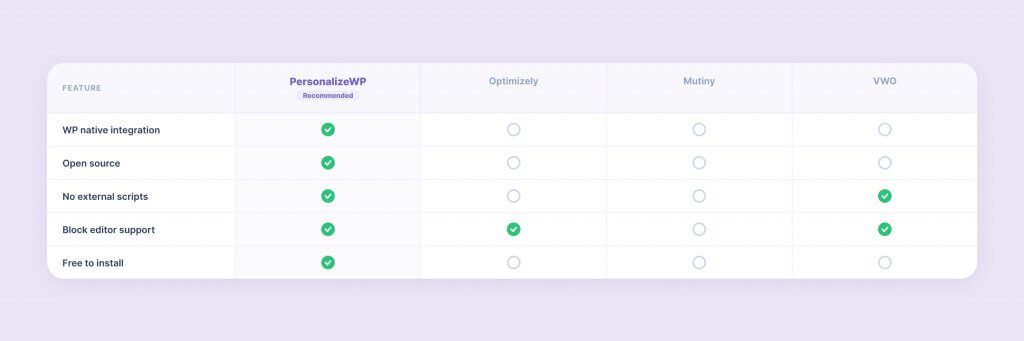
Here’s how the three WordPress-native options compare on the capabilities that matter most in practice.
Capability
PersonalizeWP
If-So
Logic Hop
Free version available
Yes (full block editor integration)
Yes (limited triggers)
Yes (limited features)
Pro pricing
Free
From $139/year
From $199/year
Visitor profiles
Yes
No
No
Lead scoring
Yes
No
Goals only
Block editor integration
Native (show/hide any block)
Shortcode + widget
Shortcode + block
Cache compatibility
Built-in (CDN/Cloudflare safe)
Basic
Requires configuration
WooCommerce integration
Yes (cart, purchase history)
Limited
No
CRM integration
Via hooks and filters
No
HubSpot
Compound segmentation
Yes (AND/OR conditions)
Basic
Yes
The table tells one story. The more important story is what happens after you’ve been running personalisation for six months. If-So’s simplicity is an advantage on day one but becomes a ceiling once you want to personalise based on visitor behaviour rather than static attributes. Logic Hop has the data points but not the visitor profiles to connect them across sessions. PersonalizeWP is the only WordPress-native option that builds a cumulative picture of each visitor and lets you act on it.
The Custom-Built Route
Some teams consider building personalisation logic from scratch — custom PHP, JavaScript-based content swapping, or bespoke integrations with analytics platforms. This makes sense in exactly one scenario: when your personalisation requirements are so specific to your business that no off-the-shelf tool can accommodate them.
In every other case, custom development is the most expensive and least maintainable route. You’re building a tool instead of using one, which means every new personalisation rule requires developer involvement. The marketing team can’t iterate independently. Updates and bug fixes are on your team’s roadmap, not a plugin’s release cycle. And the caching problem — delivering personalised content without breaking your performance layer — is a genuinely hard engineering challenge that PersonalizeWP, If-So, and Logic Hop have each solved in their own way. Rebuilding that from scratch isn’t a good use of development resource.
At Filter, we’ve built bespoke personalisation solutions for clients with requirements that go beyond what any plugin covers. But for the majority of WordPress personalisation use cases — segmented content, behavioural targeting, lead-score-driven CTAs — a well-built plugin gets you there faster and keeps the marketing team in control of ongoing iteration.
Using the WordPress Abilities API
How We Connected WordPress to AI Using the Abilities API and MCP.
The right tool depends on three things: what you’re trying to personalise, who on your team will manage it, and how far you expect personalisation to go over the next twelve months.
If you want conditional content with minimal setup — a different banner for mobile visitors, a location-specific message, a time-based promotion — If-So does the job cleanly and affordably. It’s the right starting point for teams testing whether personalisation delivers value before committing to a more capable tool.
If you have a developer on hand and want granular data-point control — 40+ conditions, CRM-connected personalisation via HubSpot, goal-based triggers — Logic Hop offers depth. The learning curve is steeper, and you’ll need technical confidence to get the most from it, but for developer-led teams with specific requirements, it’s a solid option.
If you want a personalisation programme, not just personalisation rules — visitor profiles that build over time, lead scoring that triggers content based on accumulated behaviour, segment-based targeting that the marketing team can manage without developer involvement, and a free tier that’s genuinely usable — PersonalizeWP is the tool we’d recommend. We would say that, obviously. But the reasoning stands regardless of who built it: no other WordPress-native plugin combines visitor profiling, lead scoring, compound segmentation, and cache-safe delivery in a single package.
If your personalisation needs span multiple channels — website, app, email, offline — and you need a unified platform to manage all of them, a DXP conversation is warranted. But for the vast majority of WordPress sites, the cost and complexity of a DXP are disproportionate to what on-site personalisation actually requires.
Where Filter Fits
We built PersonalizeWP because we needed it. For years, we built personalised WordPress experiences for clients like JD Wetherspoon and Medivet using either expensive third-party platforms or custom-developed solutions — and neither approach was sustainable for most teams. PersonalizeWP was our answer: a tool that makes WordPress personalisation accessible to marketing teams without requiring a DXP budget or a development sprint every time a rule changes.
PersonalizeWP won a BIMA Gold award for Digital Product Build. It’s used across mid-market and enterprise WordPress sites. And it’s backed by our AI and personalisation services team, who can help you design the segmentation strategy, build the content variants, and measure what’s working — not just install the plugin.
For a deeper look at what personalisation involves beyond the tool selection, our Website Personalisation: The Complete Guide covers segmentation strategy, content planning, measurement, and the full implementation journey. If you’re further along and want to see how personalisation works in practice on WordPress, five practical PersonalizeWP use cases shows what’s possible out of the box.
Ready to explore what WordPress personalisation could look like for your site? Try PersonalizeWP free or talk to our team about a personalisation strategy that fits your business.
Having worked in agencies since he left university, Paul drives both the technical output at Filter, as well as being responsible for planning. His key strengths are quickly understanding client briefs and being able to communicate complex solutions in a clear and simple manner.
Our guide shows digital leaders and development teams how structured data earns AI citations now that systems like ChatGPT and AI Overviews, not rich results, decide visibility.
Download our practical guide to AI and WordPress, covering the new Abilities API, MCP Adapter and AI Client in core, plus how to prepare your platform for the agentic web.
Sitecore to WordPress: What to Expect from the Migration
Your Sitecore contract renewal is approaching and the numbers no longer add up. Before you commit to a migration, here is what actually happens when enterprise teams move from Sitecore to WordPress — the real costs, the content challenges, the SEO risks, and the decisions that separate smooth transitions from expensive false starts.