Sitecore to WordPress: What to Expect from the Migration
6 May 2026 •
10 mins read
The email arrives from procurement. Your Sitecore to WordPress migration conversation usually starts here — with a renewal notice that no longer reflects the value the platform delivers. The licence has increased. The marketing team still cannot publish a campaign page without filing a ticket. Half the personalisation features you are paying for have never been switched on. Someone on the leadership team has been reading about WordPress powering 43% of the web and wants to know why you are spending six figures on a CMS your editors find frustrating. The conversation is overdue. But before anyone signs off on a migration project, you need to know what actually happens — not the sales pitch version, but the version where timelines slip, content is harder to move than expected, and search rankings sit in the balance. This is that version.
What Your Sitecore Licence Actually Costs You
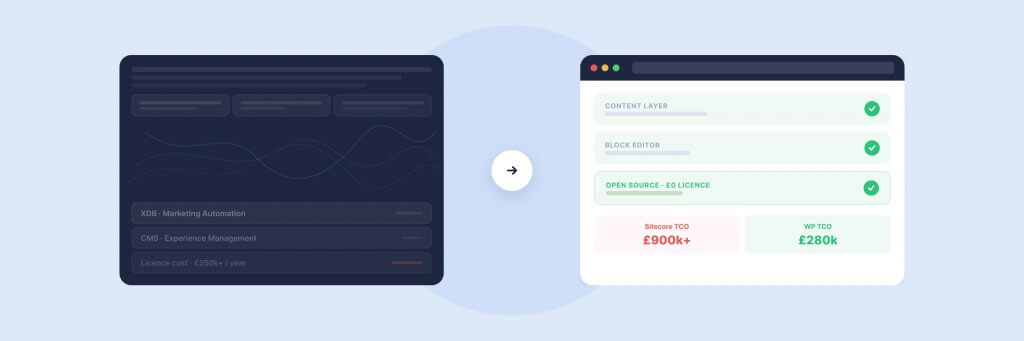
Sitecore does not publish its pricing, so most teams discover the real numbers only when the renewal lands. Current industry estimates place annual licensing between £40,000 and £200,000 for enterprise deployments — and that is before hosting, implementation support, and the specialist developers required to maintain it. The three-year total cost of ownership for a mid-market Sitecore instance typically ranges from £700,000 to £1.5 million when you account for infrastructure, talent, and ongoing maintenance.
WordPress has no licence fee. Enterprise hosting on WP Engine or WordPress VIP runs at a fraction of the equivalent Sitecore hosting stack. We have published a detailed cost comparison between Sitecore and WordPress that walks through every line item — licensing, discovery, design, build, support, and training. The savings are real, but they are not the whole story. What matters more is whether the migration itself is scoped, planned, and executed in a way that protects the value you have built on Sitecore rather than destroying it in transit.
The Personalisation Question Nobody Asks
Personalisation is Sitecore’s strongest selling point — and the most common reason teams hesitate about leaving. The platform tracks visitor behaviour, segments audiences, and serves different content based on user profiles, visit history, and behavioural signals. On paper, it is formidable.
In practice, most organisations use 10–20% of Sitecore’s personalisation capabilities. The rest sits dormant because it requires dedicated implementation, ongoing configuration, and a content operation mature enough to create and maintain the variants. You are paying for a personalisation engine. The question is whether you are actually running it.
If the honest answer is no — and for most Sitecore customers, it is — then you are not losing personalisation by moving to WordPress. You are gaining an opportunity to implement it properly on a platform where it costs less and where your marketing team can manage it without developer involvement.
PersonalizeWP is a WordPress personalisation plugin we built because we saw this pattern repeatedly: enterprise clients paying six figures for personalisation they were not using, then moving to WordPress and assuming they had to give it up entirely. PersonalizeWP delivers visitor profiles, lead scoring, cross-session behavioural tracking, and compound audience segmentation — inside WordPress, working with cached sites, manageable by a marketing team. It won a BIMA Gold award for Digital Product Build. More importantly, it means personalisation is no longer a reason to stay on Sitecore.
CMS Migration: The Complete Guide to Moving to WordPress
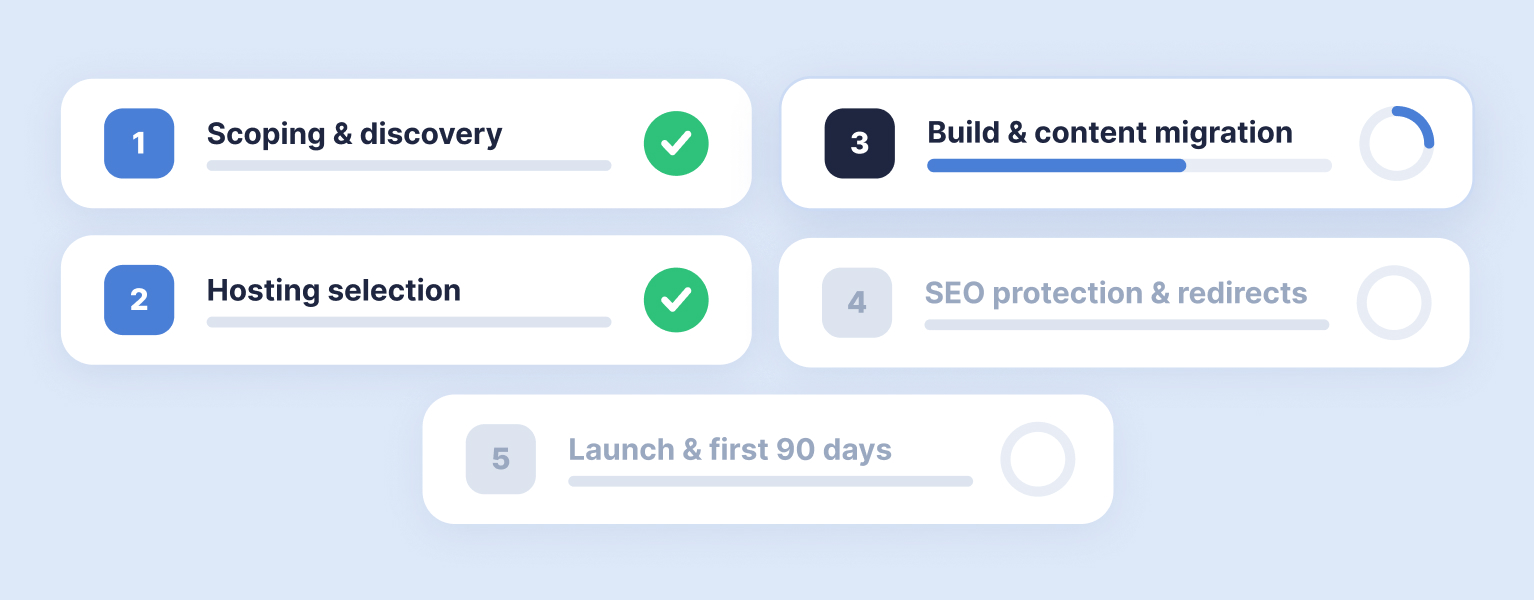
Moving to WordPress from Sitecore, Optimizely, or another platform? Our pillar guide covers every phase — from scoping and hosting selection through to launch strategy and the first 90 days.
What Happens to Your Content (It Is Harder Than You Think)
Content migration is the workstream that derails more Sitecore-to-WordPress projects than any other. The assumption is that content lives in a database, and moving it to a different database is a technical exercise. The reality is that Sitecore stores content in a way that is deeply coupled to its presentation layer — templates, rendering variants, layout definitions, and component configurations are woven together in a structure that does not map cleanly to WordPress post types and blocks.
Template-Based Content Moves Faster
Blog posts, news articles, product listings, and other repeatable content types can be migrated programmatically. We write custom scripts that extract structured content from Sitecore’s API or database, transform it to match WordPress’s data model, and import it via the REST API or WP-CLI. For a site with 1,000 or more articles, automation saves hundreds of hours. The key requirement is that the content has a consistent structure — if every blog post follows the same template, the script works reliably across the full set.
Landing Pages Are a Different Proposition
Core landing pages built in Sitecore’s Experience Editor are tightly coupled to its rendering engine. Automated extraction produces clean text but strips the visual structure. These pages are rebuilt manually in WordPress’s block editor — which is not wasted effort. Pages built three or four years ago under different brand guidelines and conversion strategies benefit from a fresh build rather than a pixel-perfect replica of something already outdated.
Expect to Lose Some Content on Purpose
A Sitecore instance that has been running for five or more years accumulates content that serves no current audience. Expired campaign pages, outdated microsites, press releases from years ago, blog posts targeting keywords the business no longer competes for. A migration is the single best opportunity to audit what you have and make deliberate decisions about what deserves a place on the new platform. Migrating everything because it exists is expensive and dilutes the new site’s focus. We work through a framework with every migration client: does this page receive organic traffic? Does it serve a current business purpose? Is it linked to from pages that matter? If the answer to all three is no, redirect it and invest the saved budget in content that earns its place.
Your Search Rankings Are Not Guaranteed
This is the section that matters most. Traffic drops of 30–60% after a platform migration are well documented. Recovery takes months. And the cause is almost always the same: redirect gaps.
Sitecore generates URL structures that rarely map cleanly to WordPress permalinks — parameter-based URLs, language prefixes, version suffixes, and inconsistent path hierarchies. Every indexed URL that receives traffic or has backlinks needs a 301 redirect to its WordPress equivalent. Missing even a handful of high-traffic URLs can cost months of recovery.
The redirect map should be built during discovery, not during development. Export every indexed URL from Google Search Console, every URL with backlinks from your Ahrefs crawl, and every URL in your XML sitemap. Map each one to its new WordPress destination. For a large Sitecore site, this map can run to thousands of rows. That is normal. The effort is proportionate to the risk.
Beyond redirects, meta titles, descriptions, Open Graph tags, canonical URLs, and structured data all need migrating. We automate this through Yoast SEO imports and custom scripts that map old metadata to new post IDs. A full-site crawl using Screaming Frog before launch catches anything the automation missed. Our CMS migration guide covers the full SEO protection strategy in detail — treat it as the companion piece to this article.
Timeline: What Is Realistic and What Is Not
Anyone quoting a Sitecore-to-WordPress migration in four weeks either has a very small site or a very large problem they have not discovered yet.
For a mid-market Sitecore site with 500–1,000 pages, five to ten integrations, and a moderate design refresh, expect 12–16 weeks from discovery kickoff to launch. For a large enterprise site with 5,000+ pages, multilingual or multisite requirements, and 15+ integrations, expect 20–30 weeks. Projects that attempt to compress these timelines without reducing scope are the ones that launch late — or launch broken.
The phases overlap but each needs its own dedicated attention: discovery and scoping (two to four weeks), design and prototyping (four to six weeks, overlapping with early development), development and content migration (eight to twelve weeks), and UAT plus pre-launch QA (two to four weeks). Sitecore-specific complications that extend timelines include complex content type hierarchies that require careful mapping, personalisation rules that need rebuilding in the WordPress context, and integrations with Sitecore-specific APIs that have no direct WordPress equivalent.
Five Decisions That Separate Good Migrations from Expensive Mistakes
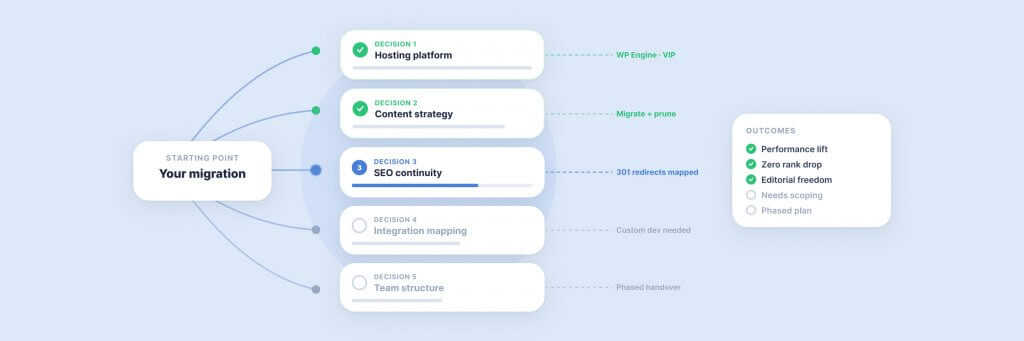
After running Sitecore migrations for over two decades, we can trace most project failures back to five early decisions that went the wrong way.
Skipping discovery. The discovery phase costs 15–25% of the launch budget but prevents 80% of the problems that cause overruns later. Teams that jump straight from “let’s move to WordPress” to “start building” consistently deliver late, over budget, or both. Our article on discovery and definition explains why this phase is non-negotiable.
Choosing hosting after development starts. Enterprise WordPress hosting on WP Engine or WordPress VIP is not shared hosting with a bigger server. The hosting decision affects deployment workflows, caching layers, security posture, and performance capabilities. Your developers need to build against the production environment from day one. Retrofitting hosting later introduces avoidable complexity.
Trying to migrate and redesign simultaneously. Scope creep dressed as improvement is the single most common cause of timeline overruns. Migrate first — get onto WordPress, preserve traffic, stabilise operations. Then enhance in subsequent phases. A phased approach gets your team a working WordPress site faster and reduces risk at every stage.
Underestimating content volume. A Sitecore site that looks like it has 200 pages often has 2,000 when you count blog posts, archived news, product pages, regional variants, and PDF resources. The content audit during discovery should produce an exact count and a decision for each item. Without it, content migration balloons and pushes the launch date.
Treating SEO as an afterthought. Redirect maps, metadata transfer, internal link updates, and pre-launch crawl validation are not optional extras. They are the difference between a migration that preserves your organic traffic and one that destroys it. Build SEO into the project plan from week one — not as a checklist before launch.
Book a Discovery Workshop
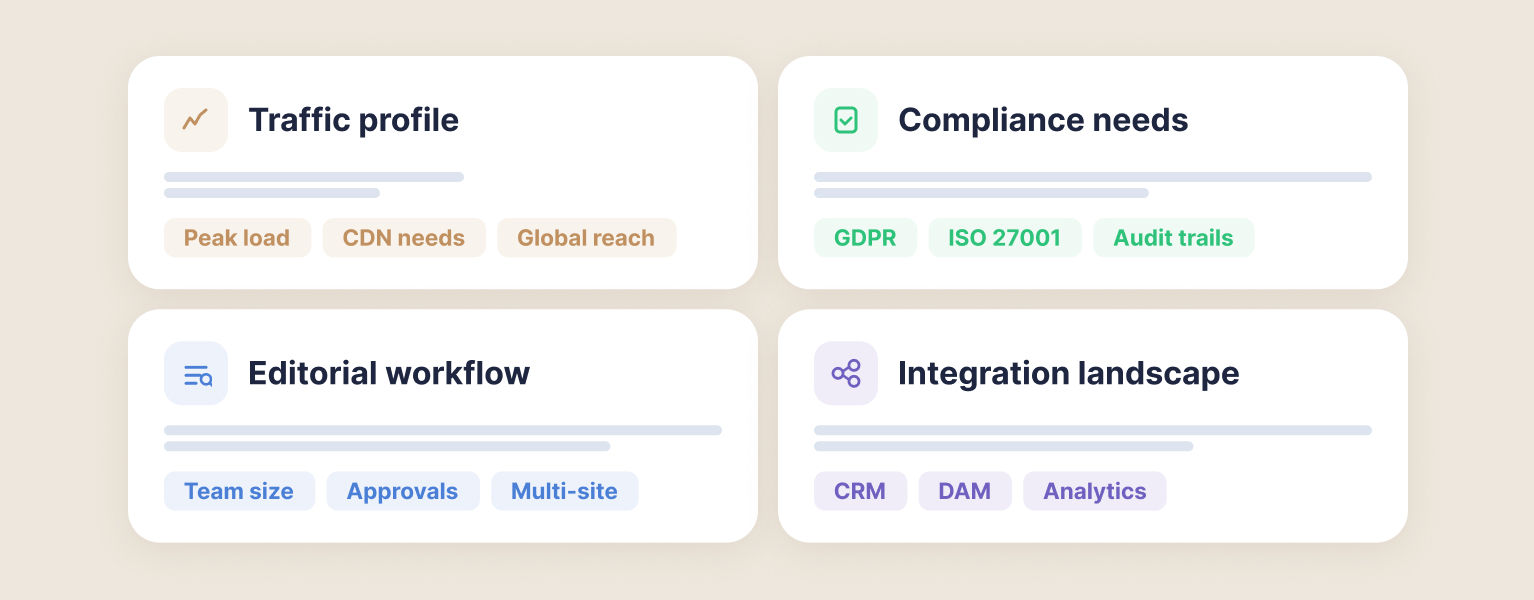
Not sure which hosting platform fits your requirements? Our discovery phase evaluates your traffic profile, compliance needs, editorial workflow, and integration landscape — then recommends the right infrastructure.
What Changes on the Other Side
The tangible differences surface within the first month.
Your marketing team publishes a campaign landing page in an afternoon instead of raising a development ticket and waiting three weeks. A content editor creates a new blog post, adds imagery, previews it, and publishes — without training, without a manual, without involving anyone from IT. A junior developer joins the team and is productive within days rather than the months it takes to onboard a Sitecore specialist. The plugin ecosystem gives you access to 60,000+ solutions for problems that would have required bespoke development on Sitecore — forms, analytics integrations, SEO tooling, accessibility compliance, performance monitoring.
The financial picture shifts materially. The annual licence fee disappears entirely. Hosting costs drop to a fraction of your Sitecore infrastructure spend. Developer rates are lower because the WordPress talent pool is orders of magnitude larger — you are no longer competing for a shrinking supply of Sitecore specialists. Over a three-year period, the cost difference between maintaining a Sitecore platform and running the equivalent on WordPress can exceed £250,000 for a mid-market deployment. We have documented the line-by-line comparison separately.
And the capabilities you were paying for but not using on Sitecore — personalisation, content targeting, behavioural segmentation — become genuinely accessible on WordPress through tools like PersonalizeWP. Not because WordPress is inherently better at personalisation, but because the lower cost of entry and the simpler editorial workflow remove the barriers that prevented your team from using it in the first place.
How We Approach Sitecore Migrations at Filter
We have been migrating enterprise sites from Sitecore to WordPress for over two decades. Our client list includes JD Wetherspoon, whose digital platform runs on WordPress infrastructure we built and continue to maintain, and Medivet, where we migrated from a legacy CMS to a WordPress multisite network serving hundreds of practice locations. We have also published detailed comparisons of WordPress versus Sitecore and WordPress versus Optimizely — both informed by hands-on migration experience, not theoretical assessments.
Every Sitecore migration we run begins with a discovery workshop. We map the existing Sitecore estate, audit content, identify integration dependencies, assess SEO risk, and produce a scoped project plan with realistic timelines and costs. This is not a formality. It is the work that determines whether the migration succeeds — and it is the reason our migrations consistently protect traffic, reduce costs, and deliver a platform the team actually wants to use.
Our enterprise WordPress services team handles the full lifecycle: discovery, design, bespoke theme development, content migration, SEO protection, integration rebuilds, launch management, and post-launch support. As WP Engine EMEA Agency Partner of the Year and WordPress VIP Silver partners, we bring both the technical capability and the hosting relationships that enterprise migrations require.
For organisations also thinking about AI visibility, a CMS migration is the ideal moment to build structured content, schema markup, and entity authority into the new site architecture from the ground up. Our LLM AI Optimisation Audit can assess your readiness for AI search platforms alongside the migration planning work — so your new WordPress site is optimised for both traditional and AI-powered discovery channels from day one.
Having worked in agencies since he left university, Paul drives both the technical output at Filter, as well as being responsible for planning. His key strengths are quickly understanding client briefs and being able to communicate complex solutions in a clear and simple manner.
Our guide shows digital leaders and development teams how structured data earns AI citations now that systems like ChatGPT and AI Overviews, not rich results, decide visibility.
Download our practical guide to AI and WordPress, covering the new Abilities API, MCP Adapter and AI Client in core, plus how to prepare your platform for the agentic web.
CMS Migration: The Complete Guide to Moving to WordPress
Every CMS migration is a sequence of decisions — about timing, scope, content, SEO, hosting, and launch strategy. Get any one of them wrong and the project stalls, costs escalate, or traffic disappears. This guide walks through each decision in order, with the frameworks and checklists we use when migrating enterprise sites to WordPress.