Content Personalisation: From Segmentation to Real-Time Delivery
6 May 2026 •
7 mins read
Content personalisation is the practice of showing different content to different visitors based on who they are, where they came from, or how they’ve engaged with your site. Most teams understand this in principle. Getting from that understanding to actually delivered, relevant content — consistently, and without creating an unmanageable content operation — is where things typically stall.
The Problem with “Personalisation”
Most businesses that attempt content personalisation run into the same wall. They build a list of segments — industry, source, role, geography — and then realise they don’t have different content to show each one. The segments are real. The content isn’t ready.
This is the segmentation trap. You know your visitors well enough to label them. You might know that 35% arrive from paid search, that a significant portion work in healthcare or hospitality, or that a group of high-intent visitors views your pricing page multiple times without converting. But you’re still showing all of them the same homepage, the same hero copy, and the same call to action.
The fix isn’t to personalise everything at once. It’s to build a clear line between your existing segments and the specific content that would actually serve them better — and start there.
What Content Personalisation Actually Covers
Content personalisation doesn’t mean rewriting every page for every audience. The scope is usually narrower — and more effective for being so. The content you personalise falls into three layers, each with different effort requirements and different impact.
The Contextual Layer
The first thing a visitor encounters: headlines, hero images, introductory copy, and the framing of your value proposition. These elements are high-impact, high-visibility, and — for most CMS setups — relatively quick to vary. A returning visitor from a specific sector who sees a headline directly addressing their context is more likely to stay than one who reads generic copy that could apply to anyone.
The Engagement Layer
The content that builds credibility and moves someone through the page: case studies, testimonials, proof points, and supporting body copy. Showing a relevant case study — a hospitality client to a hospitality visitor, a healthcare example to a healthcare visitor — accelerates trust-building in a way that generic social proof can’t match.
The Action Layer
Calls to action, form copy, offers, and next-step recommendations. Varying these by audience stage or segment often produces the sharpest conversion improvements. A visitor who has already read three pages of your services content has different needs from a first-time arrival — and should see a different prompt.
Most teams start at the contextual layer and work inward. That’s the right order. The contextual layer offers the fastest wins with the least content infrastructure required.
Website Personalisation: The Complete Guide
New to personalisation? Our pillar guide covers segmentation strategy, what to personalise on your site, the technology required, and how to measure results.
Building a Segment-Content Map
Before writing a single content variation, map what you already have. A segment-content map connects each audience to the content they should see — and, crucially, identifies where the gaps are. Without this, personalisation becomes a project that never quite starts because you never know what to build first.
Start with your highest-traffic segments. If 40% of your visitors arrive from paid search and another 20% come via organic brand terms, those two groups already behave differently. Paid visitors are typically arriving cold and early in the decision process. Brand-term visitors already know you. Showing them identical hero copy is a missed opportunity that’s both measurable and fixable.
Build the map in three columns: Segment → What they need to see → What you currently show. The distance between columns two and three is your content backlog.
Audience
What They Need
Current State
New visitor, paid search
Value proposition, trust signals
Generic homepage
Return visitor, not yet converted
Mid-funnel content, relevant case studies
Same as above
Visitor from a specific sector
Sector-specific proof and messaging
Generic
High lead-score contact
Direct consultation or demo CTA
Same sign-up CTA as cold visitors
Each row represents a personalisation task. You don’t need to address all of them at once — but seeing them mapped tells you exactly where the gaps are and which segments offer the most opportunity.
Rule-Based vs Real-Time: How Delivery Evolves
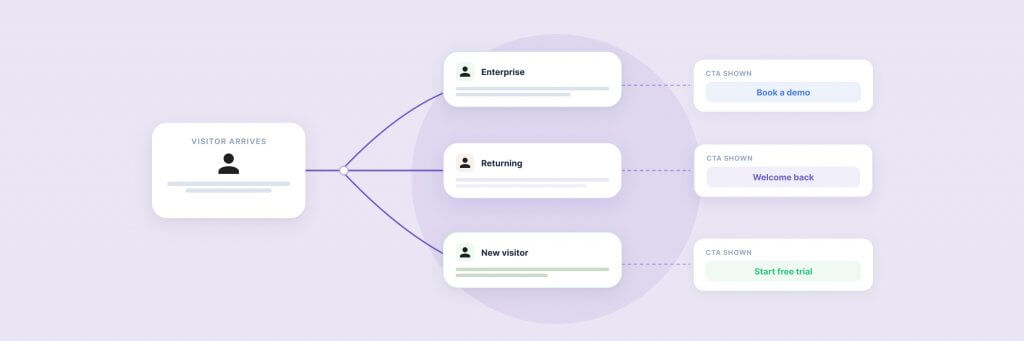
Content personalisation typically starts with rules. A visitor from the hospitality sector sees a testimonial from a hotel client. A visitor who has viewed your pricing page twice receives a different CTA from someone arriving for the first time. These rules are set manually, based on what you know about your audience before they arrive.
Rule-based personalisation is a sound starting point. It’s transparent, controllable, and doesn’t require additional data infrastructure beyond what most analytics setups already collect — referral source, geographic location, device type, and UTM parameters cover a significant proportion of useful segmentation scenarios.
Real-time personalisation reads signals during the session itself. Visit frequency, pages viewed in the current session, time on site, scroll depth, interactions with forms or CTAs — these behaviours are captured as they happen and used to adapt content accordingly. A visitor who spends several minutes in your case studies section and then navigates to pricing is demonstrating buying intent. Content that responds to that — a more direct CTA, a sector-specific case study surfaced at the right moment — can influence the outcome without a manual rule having anticipated that exact scenario.
The practical gap between rule-based and real-time, for most sites, is the addition of behavioural scoring: assigning values to specific visitor actions so that personalisation triggers can activate based on accumulated intent signals, not just a single observed attribute. This is where the two approaches converge.
Content Personalisation on WordPress
WordPress powers a significant proportion of mid-market and enterprise sites in the UK — and for a long time, content personalisation in this environment meant either a full DXP platform, a costly third-party integration, or custom-built logic that required developer involvement every time a rule changed.
PersonalizeWP was built to close that gap. It handles segment creation, rule management, and content targeting natively within WordPress, without external platforms or developer support for routine updates. It integrates with Gutenberg, ACF Blocks, WooCommerce, and a range of popular form plugins — covering the majority of setups used by enterprise and mid-market teams.
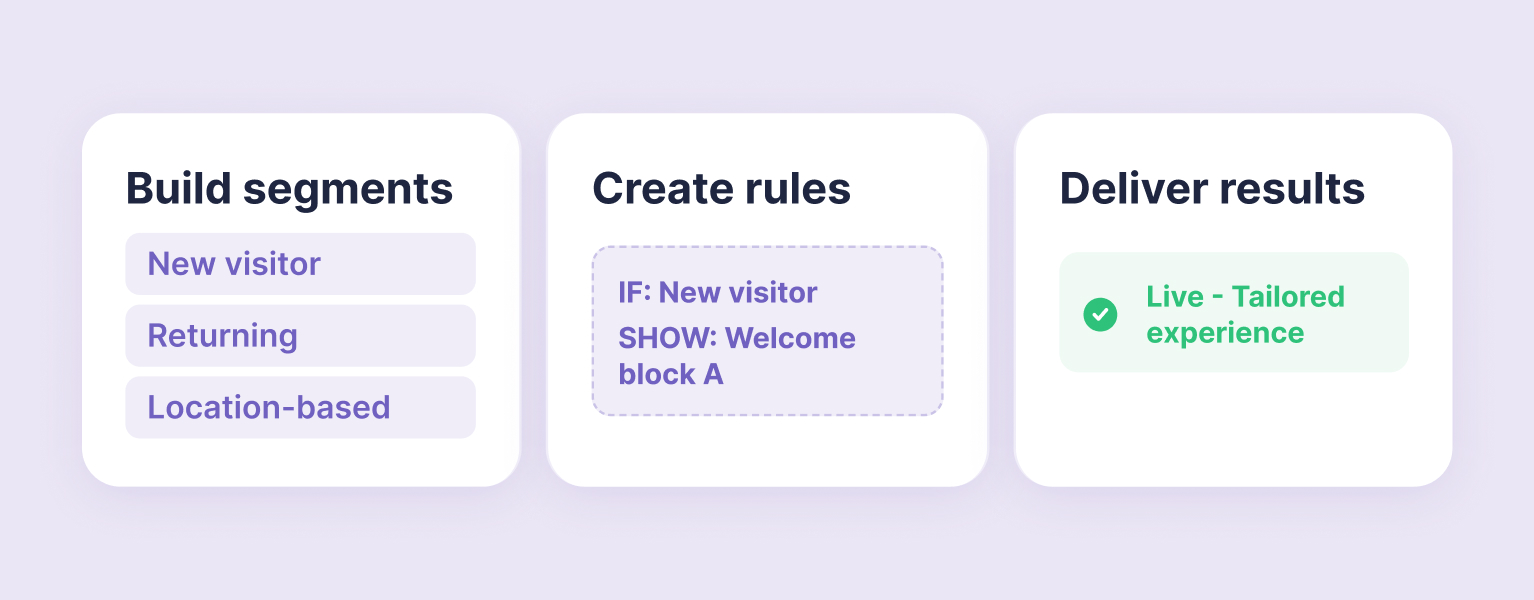
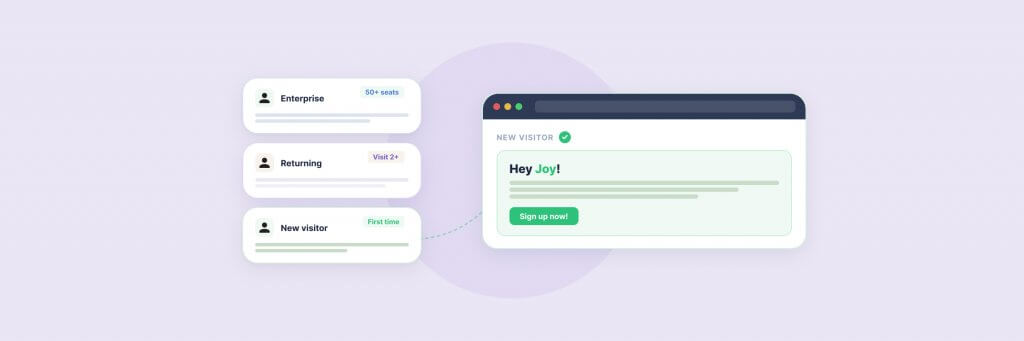
In practice: you define a segment (visitors from a specific sector, contacts above a lead score threshold, visitors who have returned to the site more than twice), create a content variation for a particular block or section, and set the display rule. WordPress handles delivery from that point. The rules are visible and editable by the marketing team without a development sprint.
Clients including JD Wetherspoon and Medivet use PersonalizeWP to serve different content to different visitor segments — varying hero copy, calls to action, and supporting content blocks depending on who’s on the page. In both cases, the rule structure makes personalisation auditable: the marketing team can see exactly what each segment is being shown and why, and update it without raising a ticket.
Lead scoring is particularly useful for moving from rule-based to real-time delivery. PersonalizeWP assigns point values to visitor actions — pages visited, forms submitted, time on site — and lets you use those accumulated scores as personalisation triggers. A visitor who scores above a threshold based on research behaviour gets different content from someone who arrived two minutes ago. Our PersonalizeWP guide covers five practical applications if you want to see how this works in context.
Website Personalisation: The Complete Guide
New to personalisation? Our pillar guide covers segmentation strategy, what to personalise on your site, the technology required, and how to measure results.
The Metrics That Actually Matter
Personalisation creates an attribution problem that standard analytics wasn’t designed to handle. When different audiences see different content, page-level metrics blend those audiences together and obscure whether any individual variation is working.
Track at the segment level, not the page level. For each active personalisation rule, measure conversion rate for the personalised segment versus a control, CTA click-through rate by variation, and session depth — pages per session — for personalised versus non-personalised visitors.
Don’t try to measure everything at once. Pick two or three rules, run them for at least four weeks, and compare against a baseline. Google Analytics 4 can segment reporting by audience or UTM source, which makes this analysis manageable without a dedicated experimentation platform. As personalisation expands, more rigorous testing tooling becomes worthwhile — but it’s not a prerequisite for getting started.
Where to Start
The most common mistake teams make with content personalisation is planning a comprehensive programme before proving the value of a single change. Large-scale personalisation projects stall because they require content, technical setup, and stakeholder alignment all at once.
Start with one segment and one page. The most effective starting point is almost always the homepage — it carries the highest traffic and typically the most generic content. Pick your highest-volume paid search audience, or visitors from a single sector, and create one variation of your hero section for them. Run it for a month.
If it produces a measurable improvement — even a modest one — you have the internal case to expand. If it doesn’t, you’ve learnt something about that segment without having committed weeks of content production to a direction that wasn’t working.
PersonalizeWP is designed for exactly this kind of incremental start: one rule, one block, no infrastructure changes. Our Website Personalisation: The Complete Guide covers the broader strategic picture for teams planning beyond their first segment.
Want to talk through what content personalisation could look like for your site? Get in touch.
Having worked in agencies since he left university, Paul drives both the technical output at Filter, as well as being responsible for planning. His key strengths are quickly understanding client briefs and being able to communicate complex solutions in a clear and simple manner.
Our guide shows digital leaders and development teams how structured data earns AI citations now that systems like ChatGPT and AI Overviews, not rich results, decide visibility.
Download our practical guide to AI and WordPress, covering the new Abilities API, MCP Adapter and AI Client in core, plus how to prepare your platform for the agentic web.
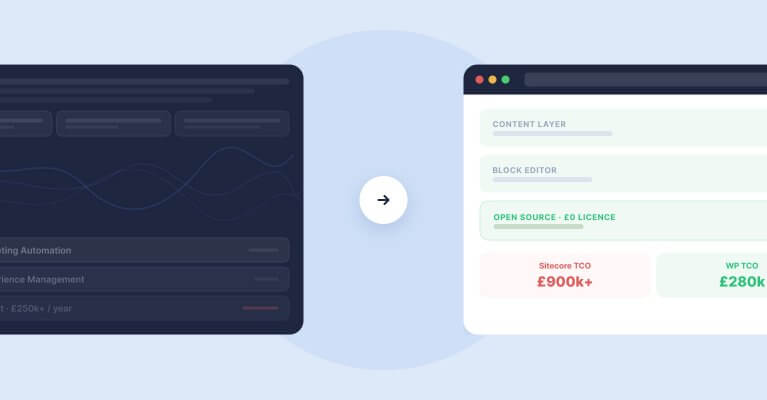
Sitecore to WordPress: What to Expect from the Migration
Your Sitecore contract renewal is approaching and the numbers no longer add up. Before you commit to a migration, here is what actually happens when enterprise teams move from Sitecore to WordPress — the real costs, the content challenges, the SEO risks, and the decisions that separate smooth transitions from expensive false starts.