CMS Migration: The Complete Guide to Moving to WordPress
6 May 2026 •
17 mins read
Your Sitecore contract is up for renewal. The licence fee has doubled. Your marketing team still raises a support ticket every time they need a landing page. The board wants a cost reduction and a faster time-to-market. Someone mentions WordPress and the room splits — half the table sees it as a blogging tool, the other half sees a composable platform that powers 43% of the web. A CMS migration is now on the agenda, and it needs to go right first time. This guide is for the team making that decision — and for every decision that follows it, from scoping the project through to the day after launch.
Should You Migrate at All?
Not every frustration with a CMS justifies a full platform migration. Migrations are disruptive, expensive relative to doing nothing, and carry genuine risk to organic search performance. The right starting point is a clear-eyed assessment of whether migration is the correct response — or whether the real problem is configuration, training, or hosting.
Migration is the right move when your current platform’s licensing costs are disproportionate to the value it delivers, when your editorial team is consistently blocked by the platform rather than enabled by it, when the cost of maintaining integrations exceeds the cost of rebuilding them, or when the vendor’s roadmap no longer aligns with where your business is heading.
Migration is probably not the right move when the core frustration is a poorly configured instance of an otherwise capable platform, when the team hasn’t been trained on features that already exist, or when the real bottleneck is internal process rather than technology. Migrating away from a platform you never properly implemented is expensive and often lands you in the same position on a new stack.
We have these conversations regularly. Sometimes the outcome is a migration. Sometimes it’s a recommendation to optimise what exists. The honest assessment upfront saves months of misdirected work.
Why Organisations Move to WordPress
WordPress powers more enterprise websites than most people assume. It runs the digital platforms for organisations including TechCrunch, Bloomberg, the BBC America network, and Sony Music — alongside mid-market businesses across financial services, healthcare, hospitality, and retail. The platform has moved well beyond its blogging origins, and the gap between WordPress and proprietary DXPs has closed on every meaningful dimension except cost, where WordPress holds a decisive advantage.
Cost Structure
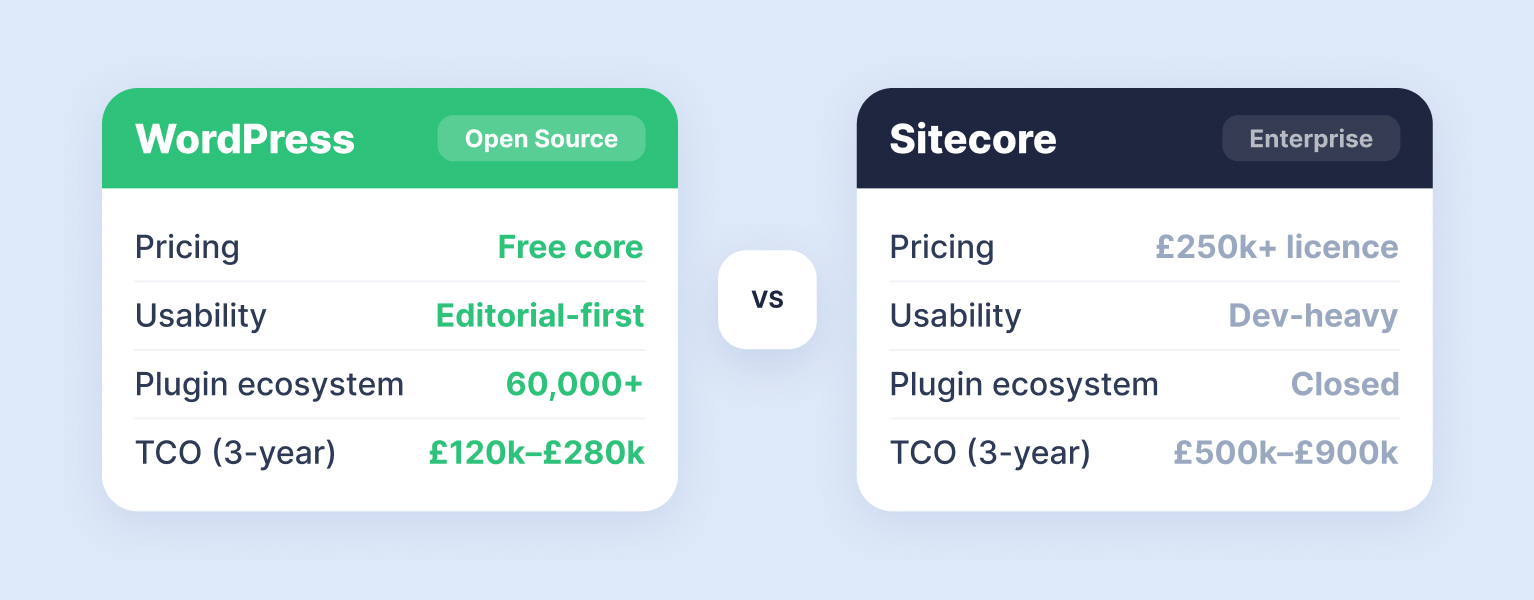
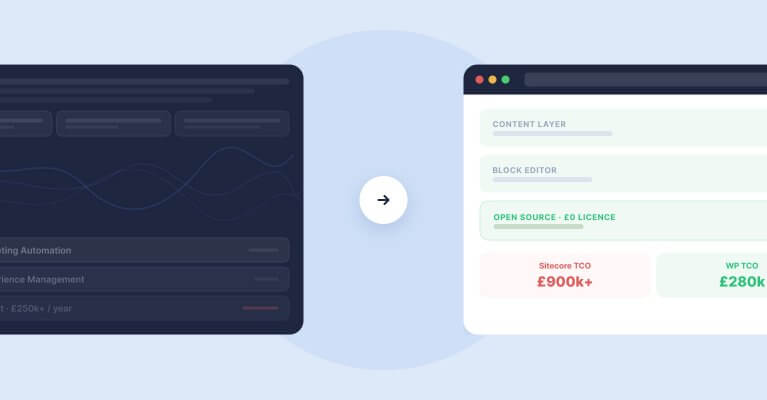
The most immediate driver. Sitecore licences for an enterprise instance typically run between £40,000 and £100,000+ per year before you account for implementation, hosting, and ongoing support. Optimizely operates a similar commercial model. WordPress is open-source — there is no licence fee. Enterprise hosting on WP Engine or WordPress VIP costs a fraction of the equivalent proprietary hosting stack. We’ve covered the detailed cost comparison between Sitecore and WordPress separately — the savings are substantial across every line item.
Editorial Velocity
WordPress’s block editor gives content teams a visual, intuitive authoring experience that requires minimal training. On platforms like Sitecore, creating a new landing page often requires developer involvement — component assembly, layout configuration, and deployment through a staging pipeline. On WordPress, that same page can be built, reviewed, and published by a marketing lead in an afternoon. When rtCamp migrated Dealertrack from AEM to WordPress, the marketing team’s landing page time-to-market dropped by 50%. That kind of velocity gain is not unusual.
Composable Architecture
The old argument for monolithic DXPs was that a single platform handling content, personalisation, e-commerce, and analytics in one place was simpler. The reality was vendor lock-in and compromise — every module was adequate, none was best-in-class. WordPress operates as the content layer in a composable stack. Pair it with Algolia for search, Hotjar for behaviour analytics, GA4 for measurement, WooCommerce or Shopify for e-commerce, and PersonalizeWP for on-site personalisation. Each component is chosen on merit, and swapping one doesn’t require rebuilding the rest. We’ve written about the broader shift from monolithic to composable in our DXP vs CMS comparison — the architectural argument for WordPress gets stronger each year.
Talent Pool
Finding a Sitecore developer in the UK takes time and costs a premium. The WordPress developer community is orders of magnitude larger, which translates to lower development costs, faster hiring, and less risk of being locked into a single agency or consultant. This is not a minor consideration — platform dependency on scarce talent is one of the most common reasons migrations stall or fail entirely.
WordPress vs Sitecore: Which CMS Is Right for You?
Considering your CMS options? We compare WordPress and Sitecore across pricing, usability, security, and scalability to help you choose the right platform.
Discovery and Scoping: The Work Before the Work
The migration projects that run into trouble almost always share one trait: they skipped or rushed the discovery phase. The temptation is to jump straight into design and development — the visible, satisfying work. But the decisions made during discovery determine whether the project lands on time, on budget, and without breaking your search traffic.
Audit Everything That Exists
Start by mapping your current estate. Every page template, every content type, every integration, every user role, every workflow. The purpose is not to replicate everything in WordPress — it’s to make deliberate decisions about what to bring, what to leave, and what to rebuild differently. Most enterprise CMS instances accumulate years of content, custom modules, and workarounds that nobody fully understands. The audit surfaces what actually matters versus what was built for a requirement that no longer exists.
Specifically, document your page and post templates (including how many unique layouts exist), custom content types and their fields, third-party integrations (CRM, marketing automation, analytics, e-commerce, personalisation), user roles and editorial workflows, URL structures and redirect requirements, and multilingual or multisite configurations. This inventory becomes the scope document. Without it, you’re estimating in the dark.
Define What WordPress Needs to Do
Not every feature on your existing platform needs a direct WordPress equivalent. Some were unused. Some were workarounds for limitations that WordPress doesn’t share. The discovery phase is where you separate genuine requirements from inherited baggage.
For each integration and custom feature, ask three questions. Is this still needed? If yes, does WordPress handle it natively, through a plugin, or does it require bespoke development? And what’s the cost and timeline for each route? The answers shape both the budget and the project plan. We’ve worked on migrations where the original Sitecore implementation had 40+ custom modules and the WordPress replacement needed twelve — not because we cut corners, but because WordPress’s ecosystem and plugin architecture covered the gap.
Choose Your Hosting Environment Early
Enterprise WordPress hosting is not shared hosting with a bigger server. Platforms like WP Engine and WordPress VIP provide managed environments with automated backups, staging environments, version-controlled deployments, CDN integration, and proactive security monitoring. The hosting decision affects development workflow (Git-based deployments, staging pipelines), performance capabilities (caching layers, CDN configuration), security posture (WAF, malware scanning, incident response), and cost. Make this decision during discovery, not during development. Your development team needs to build against the production environment, not retro-fit later.
Filter is a WP Engine strategic partner and WordPress VIP Silver partner. Both platforms suit enterprise migrations, but they serve slightly different requirements — VIP for organisations with the highest compliance and editorial scale demands, WP Engine for the broader enterprise and mid-market. We’ll cover the detailed comparison in our forthcoming article on enterprise WordPress hosting.
Content Migration: The Largest Single Workstream
Content migration is where most teams underestimate the effort. It is rarely as simple as exporting from one system and importing into another. The content model is different, the markup is different, the relationship between content and layout is different, and the media library needs restructuring.
Automated vs Manual Migration
Template-based content — blog posts, news articles, case studies, product listings — can usually be migrated programmatically. We write custom scripts that extract content from the source CMS via its API or database, transform it to match WordPress’s data model (post types, taxonomies, ACF fields), and import it using the WordPress REST API or WP-CLI. For a site with 2,000 blog posts, this approach saves hundreds of hours compared to manual recreation.
Core landing pages are a different proposition. These are typically built with visual builders where content, layout, and styling are tightly coupled. Automated extraction produces clean text but loses the visual structure entirely. These pages are almost always rebuilt manually — which is not wasted effort, because it’s an opportunity to improve them. Pages that were built three years ago under different brand guidelines and different conversion goals benefit from a fresh build in WordPress’s block editor rather than a like-for-like reproduction of something that was already outdated.
Content Audit and Pruning
A CMS migration is the single best opportunity to clean house. Most enterprise sites carry hundreds of pages that serve no audience and attract no traffic — outdated microsites, expired campaign pages, press releases from 2017, blog posts targeting keywords the business no longer competes for. Migrating all of it is expensive and dilutes the new site’s focus.
Run every page through a simple framework. Does it receive meaningful organic traffic? Does it serve a current business purpose? Is it linked to from other valuable pages? If the answer to all three is no, redirect it to the most relevant surviving page and move on. The migration budget you save on content that doesn’t earn its place can be reinvested in content that does.
Media and Asset Migration
Images, PDFs, videos, and downloadable resources need migrating alongside content — and the file paths need updating across every page that references them. This is a mechanical task, but it’s time-consuming and error-prone if done manually. We automate it wherever possible, mapping old media URLs to new WordPress media library paths and running validation checks post-migration to catch broken references. Image optimisation during migration — compressing oversized files, converting to WebP, generating responsive sizes — is a bonus step that pays back in page speed from day one.
Protecting Your Search Traffic
SEO is the single highest-risk area of any CMS migration. Traffic drops of 30–60% are well documented for major platform changes, and recovery is measured in months rather than days. Every migration we run treats SEO protection as a first-class workstream, not an afterthought bolted on before launch.
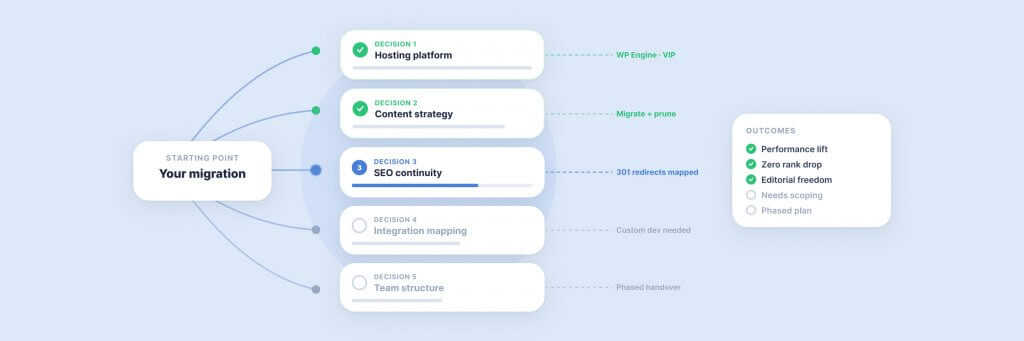
URL Mapping and Redirects
The single most impactful SEO task. Every URL on your current site that receives traffic, has backlinks, or is indexed by Google needs a 301 redirect to its equivalent on the new WordPress site. This sounds straightforward until you account for the URL structures that Sitecore, Optimizely, and other platforms generate — parameter-based URLs, version suffixes, language prefixes, and inconsistent path hierarchies that don’t map neatly to WordPress’s cleaner permalink structure.
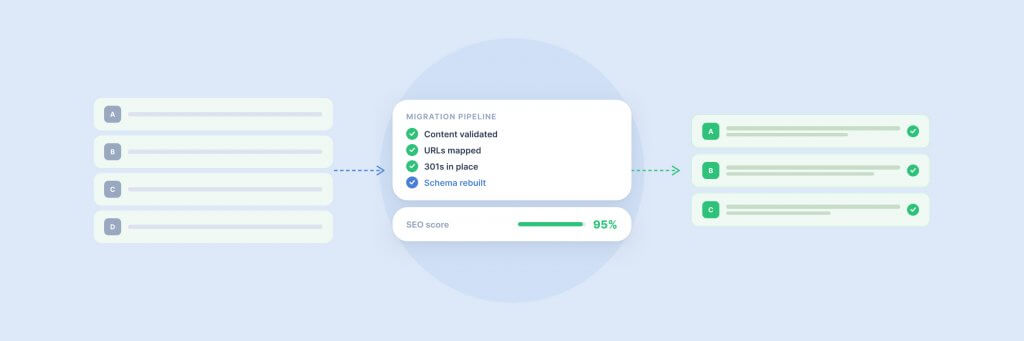
Build the redirect map during discovery, not during development. Export every indexed URL from Google Search Console, every URL with backlinks from your Ahrefs or SEMrush crawl, and every URL in your XML sitemap. Map each one to its new WordPress destination. Flag any URLs where the destination doesn’t exist yet — these need creating, merging with another page, or redirecting to the most relevant alternative. A comprehensive redirect map for an enterprise site can run to thousands of rows. That’s normal. Missing even a handful of high-traffic URLs can cost months of recovery.
Metadata Transfer
Meta titles, meta descriptions, Open Graph tags, canonical URLs, and structured data markup all need migrating. We export these from the source CMS and import them into WordPress via Yoast SEO or a similar plugin. This is another task that benefits from automation — writing a script that maps old metadata to new post IDs and imports it in bulk saves days of manual entry and eliminates transcription errors.
Internal Linking
Every internal link on your existing site points to an old URL. When those URLs change, the internal links break — even after redirects are in place, because redirect chains add latency and dilute link equity over time. The correct approach is to update internal links to point directly to the new WordPress URLs. Automated find-and-replace during content migration handles the bulk of this, but a post-migration crawl using Screaming Frog or a similar tool catches anything the automation missed.
Pre-Launch SEO Checklist
Before flipping the DNS, verify that XML sitemaps are generated and submitted, robots.txt is configured correctly (not accidentally blocking the new site), schema markup is in place on key content types, Core Web Vitals pass on the staging environment, and Google Search Console is connected to the new property. We also run a side-by-side comparison of the top 50 landing pages by organic traffic, checking that each one’s content, metadata, and internal links are intact on the WordPress version. This single check has caught migration issues on nearly every project we’ve run.
The Technical Build
With discovery complete, hosting chosen, and the content migration plan in place, the development team builds the WordPress environment. The scope varies enormously by project, but certain elements appear on every enterprise migration.
Theme Development
Enterprise WordPress themes are bespoke. Off-the-shelf themes from ThemeForest are not appropriate for enterprise use — they carry performance overhead, security risks, and maintenance debt. A migration is an opportunity to build a custom block theme that matches your brand, supports your content model, and takes advantage of WordPress full site editing for ongoing editorial flexibility. The theme development phase typically includes design system creation (typography, colour tokens, spacing scales), custom block development for any content patterns not covered by core blocks, template architecture for each content type, and theme.json configuration to enforce brand governance across the editorial experience.
Integration Rebuilds
CRM connections, marketing automation hooks, analytics configurations, booking engines, payment gateways, personalisation tools — each integration from the old platform needs its WordPress equivalent. Some are straightforward. HubSpot, Salesforce, and most major CRM platforms have mature WordPress plugins. Others require custom development — bespoke API integrations, webhook handlers, or middleware that bridges systems that don’t natively communicate.
The important thing is to scope these during discovery and build them early in the development phase. Integrations left to the end of a project consistently cause delays, because they depend on third-party systems, external teams, and credentials that take time to provision.
User Roles and Workflows
WordPress’s native role system (Administrator, Editor, Author, Contributor, Subscriber) covers basic editorial workflows. Enterprise teams typically need more granularity — regional editors who can only publish to their territory’s content, reviewers who can approve but not publish, compliance teams who can flag content for legal review. Plugins like Members and custom capability mapping handle these requirements. Map your existing roles to WordPress equivalents during discovery, and build the permission structure before content migration begins — editors need to be testing the new system well before launch.
Enterprise WordPress at Filter
We build and maintain enterprise WordPress platforms for organisations including JD Wetherspoon, Medivet, and Inspired Villages. Talk to us about your WordPress estate.
What Goes Wrong — and How to Prevent It
We’ve run enough migrations to know where they go sideways. These are the failure patterns we see most frequently, and the specific measures that prevent them.
Scope Creep Disguised as Improvement
Migrations create a gravitational pull for every feature request that’s been sitting in a backlog for two years. “While we’re at it, can we also redesign the careers section and add a customer portal?” Each addition extends the timeline and increases risk. The discipline is to separate the migration from the enhancement. Migrate first — get onto the new platform, preserve traffic, stabilise operations. Then enhance in subsequent phases when the base is solid. This phased approach keeps the core migration on schedule and gives the business a working WordPress site faster.
Underestimating Content Volume
A site that looks like it has 200 pages often has 2,000 when you count blog posts, archived news, product pages, regional variants, and PDF resources. The content audit during discovery should produce an exact count and a decision for each item — migrate, redirect, or remove. Without this, the content migration phase balloons and pushes the launch date.
Redirect Gaps
The most common cause of post-migration traffic loss. Every indexed URL needs a redirect. Every URL with backlinks needs a redirect. Every URL in your email campaigns, printed materials, and social media profiles needs a redirect. We’ve seen migrations where 95% of redirects were handled perfectly — and the 5% that were missed included the site’s highest-traffic landing pages. Build the redirect map early, automate the implementation, and validate it with a full-site crawl before launch.
Insufficient Testing Time
Enterprise migrations need a proper UAT (user acceptance testing) phase — not a hurried afternoon before launch, but a structured period where editors, stakeholders, and QA testers work through every content type, every workflow, and every integration on the staging environment. Plan for two to four weeks of UAT on a complex migration. Issues found before launch are manageable. Issues found after launch are crises.
Launch Strategy
The launch itself is the shortest phase — but it carries the highest concentration of risk. A well-planned launch is a controlled DNS switch that happens during a low-traffic window, with the old site available for rollback if something unexpected occurs.
Content Freeze
Establish a content freeze on the old platform five to seven days before launch. Any content published after the final migration sync will be lost — or worse, will create a discrepancy between the old and new sites that’s difficult to reconcile. The freeze period is also when you run the final migration sync (catching any content published since the last import), the full redirect validation crawl, the pre-launch SEO checklist, and a final round of integration testing.
DNS Cutover
Point DNS to the new WordPress hosting environment. TTL values should be lowered 48 hours in advance to ensure fast propagation. Monitor the transition in real time — check that the site resolves correctly from multiple locations, that SSL certificates are active, and that CDN caching is working as expected. Keep the old hosting environment running for at least 72 hours after launch as a fallback.
Post-Launch Monitoring
The 48 hours after launch require active monitoring. Watch for 404 errors in Google Search Console and server logs — they indicate redirect gaps. Monitor Core Web Vitals in real time through Chrome User Experience Report or your CDN’s analytics dashboard. Track crawl behaviour in Search Console to confirm Googlebot is finding and indexing the new URLs. If you’ve set up a custom dashboard in GA4, compare traffic patterns against the same period from the previous week to spot any drops early.
After Launch: The First 90 Days
A CMS migration doesn’t end at launch. The first 90 days are a stabilisation period where you monitor performance, fix issues that only surface under real-world conditions, and begin the enhancement work that was deliberately deferred during the core migration.
Weeks one to two are reactive. Fix redirect gaps flagged by Search Console. Resolve any integration issues that weren’t caught during UAT. Address editor feedback — the team using the new system daily will surface usability issues that testing didn’t catch. Prioritise ruthlessly: anything that affects traffic or conversions comes first.
Weeks three to six shift to optimisation. Review search performance — are the target keywords holding position? Is crawl coverage increasing? Are new URLs being indexed on schedule? Begin performance tuning: optimise caching rules, compress assets, address any Core Web Vitals regressions. This is also when you start backfilling internal links — updating older content to link to the new site structure and new content to link to the surviving legacy pages that still carry authority.
Weeks seven to twelve are where the migration pays off. The platform is stable, the team is confident, and you can begin the enhancements that were parked during the core project. New content types, personalisation rules through PersonalizeWP, conversion rate optimisation experiments, and the features that motivated the migration in the first place. This is also when organic traffic typically recovers and begins to exceed pre-migration levels — assuming redirects and SEO were handled correctly.
Realistic Timelines
Timelines depend on the size and complexity of the existing site, the number of integrations, and the degree of design change. But for a credible estimate, here is what we typically see across enterprise migration projects.
A mid-market site with 500–1,000 pages, five to ten integrations, and a moderate design refresh takes 12–16 weeks from discovery kickoff to launch. A large enterprise site with 5,000+ pages, complex multilingual or multisite requirements, 15+ integrations, and a full brand refresh takes 20–30 weeks. Projects that attempt to compress these timelines without reducing scope are the ones that launch late or launch broken.
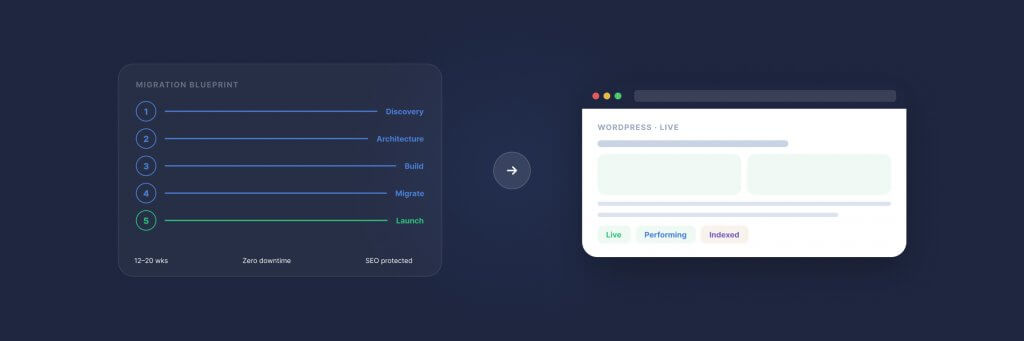
The phase breakdown typically runs: discovery and scoping (two to four weeks), design and prototyping (four to six weeks, overlapping with early development), development and content migration (eight to twelve weeks), UAT and pre-launch QA (two to four weeks), and launch plus the stabilisation period described above. These phases overlap — design informs development, content migration runs in parallel with build — but each needs its own dedicated attention and sign-off gates.
How We Approach CMS Migration at Filter
We have been migrating enterprise sites to WordPress for over two decades. Our clients include JD Wetherspoon, whose digital platform runs on WordPress infrastructure we built and continue to maintain, and Medivet, where we migrated from a legacy CMS to a WordPress multisite network serving hundreds of practice locations. We work with organisations moving from Sitecore, Optimizely, Drupal, Adobe Experience Manager, and bespoke legacy systems — and we’ve documented the WordPress vs Sitecore and WordPress vs Optimizely comparisons in detail.
Every migration begins with a discovery workshop — a structured session where we map your current estate, identify risks, define the scope, and align stakeholders on what the project will and won’t include. This is not a sales exercise. It’s the foundational work that determines whether the migration succeeds. We’ve written about why discovery matters in a separate article, but the short version is: projects that skip discovery consistently cost more and deliver less than those that invest in it.
Our enterprise WordPress services team handles the full lifecycle — discovery, design, development, content migration, SEO protection, launch management, and ongoing support. As WP Engine EMEA Agency Partner of the Year and WordPress VIP Silver partners, we bring both the technical capability and the hosting relationships that enterprise migrations require.
For organisations in the AI cluster exploring how their new WordPress platform can also be visible across AI search platforms, our LLM AI Optimisation Audit assesses your site’s readiness for ChatGPT, Gemini, Perplexity, and Claude. A CMS migration is the ideal moment to build AI visibility into the architecture from the ground up rather than retrofitting it later.
Ready to explore whether a migration to WordPress is the right move for your organisation? Book a discovery workshop or get in touch to start the conversation.
Having worked in agencies since he left university, Paul drives both the technical output at Filter, as well as being responsible for planning. His key strengths are quickly understanding client briefs and being able to communicate complex solutions in a clear and simple manner.
Our guide shows digital leaders and development teams how structured data earns AI citations now that systems like ChatGPT and AI Overviews, not rich results, decide visibility.
Download our practical guide to AI and WordPress, covering the new Abilities API, MCP Adapter and AI Client in core, plus how to prepare your platform for the agentic web.
Sitecore to WordPress: What to Expect from the Migration
Your Sitecore contract renewal is approaching and the numbers no longer add up. Before you commit to a migration, here is what actually happens when enterprise teams move from Sitecore to WordPress — the real costs, the content challenges, the SEO risks, and the decisions that separate smooth transitions from expensive false starts.