Most businesses think website personalisation means knowing someone’s name. The “Hello, [Name]” in an email subject line. The “Welcome back” banner when a logged-in user returns. These are personalisation in a narrow technical sense — but they’re a long way from what effective website personalisation actually involves, and an even longer way from where the commercial opportunity sits.
This guide covers the full picture: what website personalisation actually means, how to think about segmentation, what you can change on your site and why, the technology required to deliver it, and how to measure whether it’s working. Whether you’re starting from scratch or looking to bring rigour to a programme already underway, this is the reference you need.
What Website Personalisation Actually Means (and What It Isn’t)
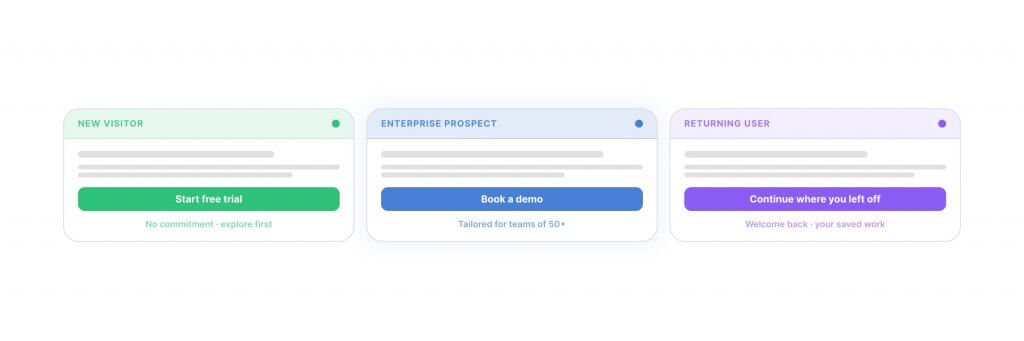
Website personalisation is the practice of serving different versions of your site to different visitors based on what you know — or can infer — about them. That might be their location. Their referral source. Their industry or company size. What they’ve browsed before. Whether they’re visiting for the first time or the fourth. The stage they’re at in a buying decision.
The goal isn’t novelty. It’s relevance — and relevance, executed well, removes friction. A visitor who lands on your homepage from a specific campaign sees the messaging that matches what drove them there. A returning visitor who’s already read your pricing page doesn’t get the same introductory content as someone who’s never heard of you. An enterprise buyer sees enterprise-tier social proof and case studies. A small business owner sees something calibrated to their reality.
Two things are commonly confused with personalisation and worth separating out:
Customisation is user-controlled. The visitor adjusts their own experience — selecting their region, switching between display modes, saving preferences. Personalisation happens without the user doing anything. It’s driven by data you hold or can infer, not by what the visitor explicitly tells you.
Targeting is primarily a paid media concept — serving specific ads to specific audiences across external platforms. Personalisation applies the same logic inside your own website. The distinction matters because the technical requirements and the business case are different. Targeting spends budget to get the right person to your site; personalisation ensures they see the right thing when they arrive.
This guide focuses specifically on website personalisation — changing what visitors see on your site, automatically, based on data — rather than email personalisation or media targeting. Those are related disciplines, but they operate differently and deserve separate treatment. For broader context on personalisation as a marketing discipline, our Guide to Personalisation covers the full landscape.
The Business Case: What the Numbers Show
The case for website personalisation isn’t theoretical. Product recommendations — one of the most straightforward forms of personalisation for e-commerce — account for up to 31% of e-commerce revenue, according to research by Salesforce. Businesses implementing AI-driven personalisation across landing pages and CTAs report average conversion rate uplifts of 15–26%. Marketers using behavioural segmentation have reported revenue increases as high as 760% compared to generic broadcast campaigns.
The word that matters in each of those figures is not “personalisation” — it’s relevance. The lift doesn’t come from personalisation as a technology. It comes from showing the right content to the right visitor at the right moment. The technology is the mechanism; the thinking behind the segments and the content variants is what determines whether it actually delivers.
At Filter, the outcomes we see with clients using PersonalizeWP reflect this consistently. Matching the experience to the visitor — by referral source, by engagement history, by audience segment — reduces bounce rates and increases time-on-site for targeted visitor groups. The mechanism varies by sector and objective. The underlying principle holds across all of them.
The Four Dimensions: A Working Framework
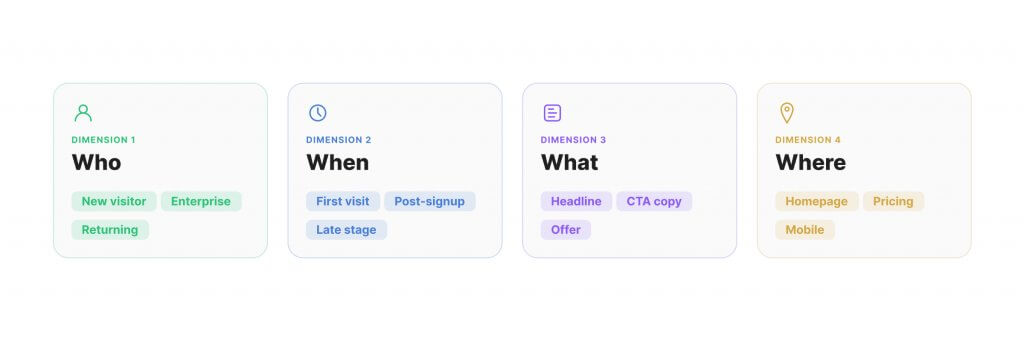
The clearest way to map what personalisation involves is across four dimensions. These aren’t stages in a sequence — they’re lenses that apply simultaneously to any personalisation strategy. Getting clear on all four before implementation begins is what separates programmes that deliver from those that produce a few one-off experiments and quietly stall.
Who — Segmentation
Which visitors are you treating differently, and on what basis? Segmentation is the foundation of everything. Without it, personalisation is guesswork dressed up as strategy. Segments can be defined by demographic data (location, language, device), behavioural data (pages visited, return frequency, time on site), intent signals (search terms, campaign source), or contextual data (time of day, company affiliation via IP lookup). The more data you can draw on, the more precise your segments — but meaningful personalisation is achievable even with limited data, as long as the segments you define reflect genuine differences in visitor intent or need.
When — Timing and Triggers
At what point in the visit does the personalised experience activate? A first-time visitor from organic search should see something different from a returning visitor who’s already looked at your pricing page. Someone who’s spent four minutes on a comparison page is signalling intent that a quick homepage skim doesn’t. Real-time personalisation responds to in-session behaviour — changing what’s shown as the visitor explores, not just on arrival. Session depth, scroll percentage, exit intent, and time-on-page are all viable trigger signals depending on your platform and objectives.
What — Content and Offers
What elements of the page change? This is the most visible layer — the actual content swap. It might be a hero headline, a CTA, a testimonial, a product recommendation, a banner offer, or a featured case study. The principle is that the right content for one segment is often the wrong content for another. An enterprise buyer and an SME owner have different reference points, different decision timelines, and different objections. Serving them the same experience means your site is calibrated to neither.
Where — Page and Element Scope
Which pages and which elements are worth personalising? Not everything needs to be. Homepage heroes and conversion-critical pages — pricing, contact, checkout — are typically the highest-impact starting points. Category and product pages matter for e-commerce. Resource hubs and landing pages are worth addressing once the core journey is covered. A common mistake is trying to personalise too broadly too early, creating content creation and maintenance overhead that exceeds the team’s capacity to sustain it.
These four dimensions give you a working framework for any personalisation project: define your segments (Who), set your triggers (When), create your content variants (What), and identify your target pages (Where). Decisions that are unclear in the planning phase almost always map back to one of these four not being defined well enough.
How to Segment Your Audience
Segmentation is where most personalisation projects either succeed or stall. Define your segments well and the rest of the work has a clear brief. Define them poorly — or skip the step entirely — and you end up personalising content for audiences that don’t meaningfully exist, or creating so many overlapping rules that the system becomes impossible to maintain.
Source-Based Segmentation
The easiest starting point. Visitors from a paid campaign, an email newsletter, a specific partner referral, or organic search all arrive with different context. They’ve been primed by different content before they arrived. Showing them an experience that matches where they came from — not just a generic homepage — is the most basic form of personalisation, and often delivers the most immediately measurable lift. UTM parameters and referral headers make this straightforward to implement without complex data infrastructure.
Behavioural Segmentation
Built on in-session and historical signals. A visitor who has read three articles on a topic is further along in their research than one who hasn’t. A returning visitor on their fourth session who hasn’t converted is a different problem from a new visitor seeing your pricing page for the first time. Behavioural data is available without a logged-in user state — cookie-based tracking, session depth, scroll depth, and referral history all contribute to a behavioural profile that can inform what the visitor sees next.
Firmographic Segmentation
Particularly relevant for B2B. Using IP-lookup tools, you can identify the company or industry sector of a visitor and adjust the experience accordingly. A visitor from a financial services firm sees financial services case studies and compliance-oriented messaging. A healthcare buyer sees healthcare examples. This doesn’t require the visitor to identify themselves — it happens automatically and invisibly. The result is an experience that feels precisely targeted without any input from the user.
Intent-Based Segmentation
Draws on search terms, campaign parameters, or on-site navigation paths that signal what the visitor is trying to achieve. Someone landing on a product comparison page is closer to a decision than someone reading an introductory explainer. Someone who navigated from your homepage to your case studies to your pricing page followed a very different journey from someone who landed directly from a branded search. Each path implies different intent, and the experience should reflect it. Intent-based segmentation typically requires more analytical groundwork — mapping the paths that correlate with conversion — but delivers among the highest-precision results.
In practice, most businesses start with one or two segment types and build from there. Source-based segmentation requires minimal data infrastructure and delivers quick, measurable results. Behavioural and firmographic segmentation add depth as the programme matures. The mistake to avoid is waiting until your segmentation model is theoretically complete before deploying anything — the best learning comes from live data, not planning documents.
Personalisation in Practice: What You Can Change
Understanding the theory of personalisation is one thing. The practical question is: what actually changes on the page? The answer varies by site type and commercial objective, but these are the elements that consistently deliver the strongest return.
Hero Content and Headlines
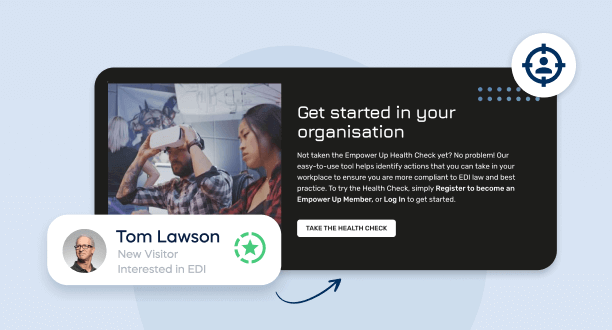
Your homepage hero is seen by every visitor, which means it’s currently calibrated to no one in particular. Changing the headline, subheading, or hero image for different visitor segments is typically the highest-leverage first step. A financial services firm visiting your site doesn’t need to read the same opening line as a hospitality business. A returning visitor who already understands what you do doesn’t need the introductory positioning a first-time visitor needs. The hero is the single highest-traffic, highest-impact personalisation target on most sites.
Calls to Action
CTA text, placement, and destination are all candidates for personalisation. A first-time visitor might be better served by a soft CTA — “See how it works” or “View our work” — than a direct conversion ask. A visitor who’s already reviewed your pricing page and returned a second time is ready for something more direct. Matching the CTA to where the visitor is in their decision process consistently improves click-through, because you’re not asking for a commitment the visitor isn’t ready to make.
Social Proof and Testimonials
Testimonials land harder when they’re from recognisable businesses or relevant sectors. A healthcare company is more persuaded by a healthcare case study than a generic enterprise testimonial. Personalising which social proof is shown — by industry, by company size, or by the visitor’s referral source — removes the mental work of the reader translating an irrelevant example into their own context. It’s not about having more testimonials. It’s about surfacing the right one at the right moment. For a sense of what this looks like across different sector applications, our article on personalised marketing in travel and hospitality illustrates the principle in a specific commercial context.
Product Recommendations
For e-commerce, this is the most commercially significant form of personalisation. Recommendations based on browsing history, purchase history, or real-time session behaviour consistently outperform static featured product displays. The research is consistent: personalised recommendations contribute disproportionately to revenue relative to the percentage of the catalogue they cover — with some retailers attributing more than 30% of total revenue to recommendation-driven purchases.
Offers and Pricing Presentation
Showing different entry points or promotions to different visitor groups — by geography, by acquisition channel, or by visit history — is well-established in e-commerce and increasingly common in B2B service contexts. New visitors from certain campaign sources might see a welcome offer or free consultation CTA. Returning visitors who haven’t converted in 30 days might see different messaging that acknowledges their familiarity. The goal isn’t discount-led conversion; it’s matching the right offer to the right moment in the relationship.
Navigation and Content Discovery
For content-heavy sites, personalising which sections of the navigation or resource library are surfaced for a given visitor type reduces the noise they have to filter through. A first-time visitor to a complex site doesn’t need the full depth of the resources section up front. A returning visitor researching a specific topic benefits from having relevant content surfaced without having to search for it. This kind of contextual content presentation directly improves conversion rates — not because it uses pressure tactics, but because it reduces the work the visitor has to do to find what’s relevant to them.
PersonalizeWP — Free WordPress Personalisation
Show the right content to the right visitor in the right language. PersonalizeWP works alongside WPML and other multilingual plugins to deliver region-specific, personalised experiences — completely free.
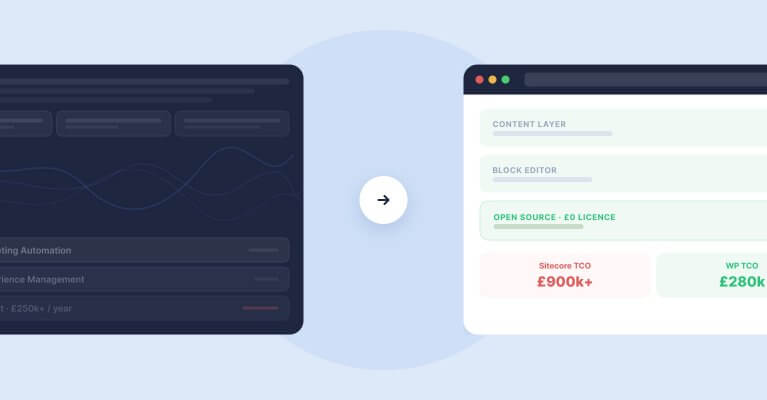
One of the most persistent misconceptions about website personalisation is that it requires enterprise infrastructure. DXP vendors — Sitecore, Optimizely, Adobe Experience Manager — have historically positioned personalisation as an expensive platform capability, bundled into licences that require significant development resource to implement and maintain. That’s one model, and for very large organisations with high personalisation requirements across many channels, it can be appropriate.
For most businesses, particularly those on WordPress, it isn’t necessary.
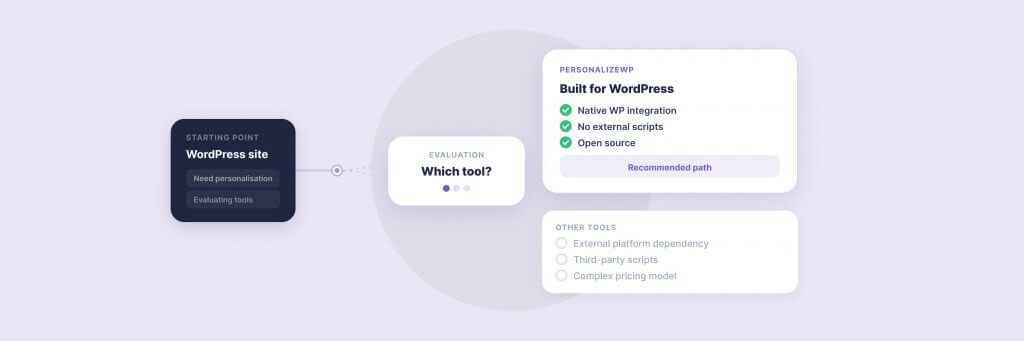
PersonalizeWP is our open-source personalisation plugin for WordPress, built specifically to make segment-based personalisation implementable without a DXP. It supports source-based, behavioural, firmographic, and cookie-based segmentation, and allows content swapping at page and element level without requiring custom development for each rule. It was recognised with a BIMA Gold award for Digital Product Build, and is used by WordPress sites ranging from mid-market e-commerce to enterprise service businesses — including clients such as JD Wetherspoon and Medivet, who run complex, high-traffic platforms on WordPress infrastructure.
The practical advantage of a WordPress-native approach is the implementation model. Personalisation rules are configured in a plugin interface — not in a development sprint. Marketing teams can test and iterate without waiting for engineering resource. And because PersonalizeWP operates within the WordPress content layer, it integrates naturally with the block editor workflow most teams already use.
The decision point for businesses evaluating personalisation infrastructure isn’t scale — it’s complexity of segmentation and channel scope. If your personalisation requirements are primarily on-site, WordPress-native tools are sufficient and significantly faster to deploy. If you need cross-channel personalisation extending to email, app, and offline touchpoints in a unified way, a broader platform conversation may be warranted. But that’s a conversation for organisations at a very different level of personalisation maturity — not where most businesses should start.
The technical requirements beneath PersonalizeWP are modest: a clean analytics setup (GA4 is sufficient for most starting points), a defined set of initial segments, and page templates structured to support content swaps. Most WordPress sites built in the last three or four years meet this baseline without significant restructuring. For teams evaluating the full range of personalisation plugin options available for WordPress, our overview of the top WordPress personalisation plugins covers the landscape in detail.
Measuring Personalisation Effectively
Personalisation projects stall when the measurement framework isn’t defined before implementation begins. “Did it work?” is an impossible question to answer without agreeing in advance what “work” means for your specific objectives.
The metrics that matter depend on where in the funnel the personalisation sits. For top-of-funnel personalisation — homepage hero, navigation, blog recommendations — the relevant signals are engagement depth: scroll percentage, pages per session, time on site, return visit rate. These are leading indicators of relevance. A more relevant experience keeps visitors longer and brings them back.
For mid-funnel personalisation — case studies, service pages, testimonials — track progress-to-conversion metrics: CTA click rate, content download rate, contact page visits. These measure whether the personalised experience is moving visitors along the decision path, not just entertaining them.
For bottom-of-funnel personalisation — pricing pages, checkout flows, direct conversion CTAs — conversion rate is the primary metric, and the test design needs to be clean. A personalised variant versus a control, with the segment definition held constant, gives attribution you can act on. Adding other variables at the same time muddies the results.
Attribution is the honest complication in all of this. Personalisation rarely runs in isolation — it operates alongside changes to content, design, and paid media. Clean measurement requires deliberate test design: hold-out groups for targeted segments, controlled variants, and a long enough test window to account for traffic variance. The practical starting point is to instrument your existing analytics to track segment-level behaviour before deploying any personalisation. Knowing how your target segments currently behave gives you the baseline against which you measure improvement — and prevents you from claiming credit for changes that were already happening.
Where to Start
The biggest risk in any personalisation project isn’t moving too slowly — it’s starting with complexity that exceeds your data and team capacity. Programmes that begin with ambitious multi-segment, multi-page strategies frequently stall in delivery because the content creation, testing, and maintenance workload is underestimated. The ambition is right; the scope is wrong.
A more reliable path: start with one segment and one page. Source-based segmentation on the homepage is the most common entry point, because it’s clean to implement, straightforward to measure, and doesn’t require historical data. Define one visitor type you know well — a specific campaign audience, a sector you serve repeatedly, visitors from a particular referral partner — and create one variant for them. Run it for four to six weeks, measure the results against your pre-defined baseline, and let the data determine the next step.
From there, expand systematically. Add a second segment using the same logic. Or extend the first segment’s personalisation to the next page in their journey. Build the programme incrementally, with each step building on evidence rather than assumption. This is how personalisation becomes a genuine commercial asset — not through a single implementation project, but through sustained iteration that builds both the data and the organisational muscle to act on it.
For WordPress teams, PersonalizeWP is designed specifically to support this kind of incremental approach. You can start with a single rule on a single page, see how it performs in practice, and expand from there — without restructuring your entire site or committing to a platform migration. And for those who want to explore what personalisation looks like for their specific site before committing to anything, our team works closely with clients on discovery workshops that map the segments and content variants worth building first.
If you’d like to explore what personalisation could look like for your site, get in touch or explore PersonalizeWP to see what’s achievable within your existing WordPress setup.
Having worked in agencies since he left university, Paul drives both the technical output at Filter, as well as being responsible for planning. His key strengths are quickly understanding client briefs and being able to communicate complex solutions in a clear and simple manner.
Our guide shows digital leaders and development teams how structured data earns AI citations now that systems like ChatGPT and AI Overviews, not rich results, decide visibility.
Download our practical guide to AI and WordPress, covering the new Abilities API, MCP Adapter and AI Client in core, plus how to prepare your platform for the agentic web.
Sitecore to WordPress: What to Expect from the Migration
Your Sitecore contract renewal is approaching and the numbers no longer add up. Before you commit to a migration, here is what actually happens when enterprise teams move from Sitecore to WordPress — the real costs, the content challenges, the SEO risks, and the decisions that separate smooth transitions from expensive false starts.