WordPress Multilingual: A Guide for Global Businesses
20 April 2026 •
15 mins read
A UK hospitality group opens its first hotels in Germany and Spain. The marketing director asks the web team to “add translations” to the WordPress site. Six months later, the German pages rank nowhere on Google.de, the Spanish content reads like it was fed through a machine (because it was), and the editorial team has quietly stopped updating anything that is not in English.
After time, the project has become a maintenance burden rather than a growth engine. We see this pattern regularly. The businesses that avoid it are not the ones with the biggest budgets — they are the ones that treat multilingual as an architecture decision rather than a content task. This guide covers the five decisions that shape whether a multilingual WordPress site performs or frustrates, drawn from the projects we have delivered at Filter for clients operating across multiple markets.
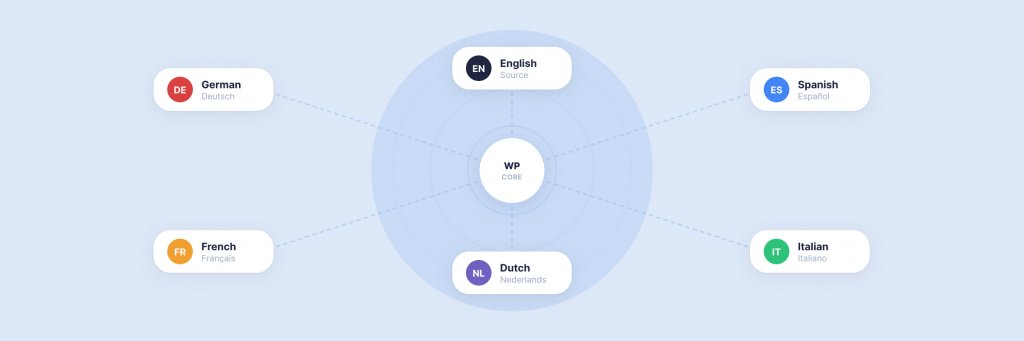
Adding a second language to a WordPress site touches almost everything: the URL structure, the database schema, the editorial workflow, the SEO configuration, the design system, the hosting setup, and the ongoing content governance. Fewer than 15% of WordPress sites implement proper multilingual architecture, according to W3Techs data — which means most global businesses are either serving a single-language site to international audiences or running a multilingual setup that actively undermines their organic performance.
The gap is not technological. WordPress has mature multilingual tooling. The gap is strategic. Businesses make five foundational decisions at the start of a multilingual project, and each one has downstream consequences that compound over months and years. Get them right and the site scales cleanly. Get them wrong and you end up with the scenario we opened with — a site that technically supports multiple languages but practically serves none of them well.
Decision One: URL Structure
Your URL structure determines how search engines index your multilingual content, how domain authority flows between language versions, and how complex your hosting and deployment become. There are three options, and each suits a different organisational profile.
Subdirectories
example.com/de/, example.com/es/, example.com/fr/. All language versions live under a single domain. This is the approach we recommend for most businesses and the one Google’s own documentation favours for authority consolidation. Every backlink, every piece of domain authority, every year of search history accrues to a single domain. The German subdirectory benefits from the authority the English site has already built. Setup is straightforward — most WordPress multilingual plugins handle subdirectory routing natively. Hosting stays simple: one WordPress installation, one server environment, one deployment pipeline.
Country-Code Top-Level Domains
example.de, example.es, example.fr. Each market gets its own domain. This sends the strongest geotargeting signal to search engines and builds brand trust with local audiences who recognise a familiar TLD. The trade-off is significant: each domain starts with zero authority. You are building SEO from scratch in every market. You need separate hosting, separate SSL certificates, separate WordPress installations (or a carefully configured multisite network). The operational overhead multiplies with every language you add. We typically only recommend ccTLDs for organisations with dedicated marketing teams in each country and the budget to invest in market-specific SEO over the long term.
Subdomains
de.example.com, es.example.com. A middle ground that Google treats as separate sites (meaning limited authority sharing) while keeping everything under a single root domain. Subdomains make sense for organisations running WordPress multisite networks where each language version is a separate site in the network, with its own editorial team and distinct content. For most businesses, subdirectories deliver the same structural separation with better SEO outcomes.
Our default recommendation: Start with subdirectories. Move to ccTLDs only when a specific market’s revenue justifies the investment in a standalone domain. This is the approach we take on our own multilingual WordPress projects unless the client’s requirements clearly point elsewhere.
Decision Two: Which Plugin Powers Your Multilingual Setup
WordPress does not include multilingual functionality in core. You need a plugin — and the choice shapes your editorial workflow, your database structure, your performance profile, and your long-term flexibility. Four plugins dominate the enterprise WordPress multilingual space, and each serves a different use case.
WPML is the most widely adopted premium option, running on over 1.5 million sites. It creates a separate database entry for each translated post and links them together, giving you full editorial control over every language version. WPML integrates with WooCommerce (including multi-currency), Advanced Custom Fields, and every major page builder. For enterprise sites with complex content models — custom post types, ACF field groups, taxonomies with dozens of terms — WPML’s granular control is difficult to match. The learning curve is steeper than lighter alternatives, and the admin interface adds weight to the WordPress dashboard. Pricing starts at €39/year for blogs, €99 for CMS-level sites, and €199 for agency licences.
MultilingualPress takes a fundamentally different architectural approach. Instead of storing translations in a single WordPress installation, it uses WordPress multisite — each language runs as a separate site within the network. This means each language version has its own database tables, its own plugins, and its own theme configuration. The performance advantage is real: no shared database queries across languages, no plugin overhead on pages that only serve one language. For large-scale enterprise deployments where performance and isolation matter — a hotel group running 15 regional sites, for example — MultilingualPress is worth serious consideration. The trade-off is complexity: you are managing a multisite network, which requires more sophisticated hosting and more deliberate editorial workflows.
Polylang offers a free version that is genuinely capable for straightforward multilingual setups. Like WPML, it creates separate posts for each language and links them. The interface is lighter, the performance impact is minimal (approximately 0.7 seconds additional load time), and the Pro version at €99/year adds features like duplicate content handling and WooCommerce support. For mid-market businesses launching their first multilingual site with a modest number of languages, Polylang is a cost-effective starting point that does not lock you into a premium commitment before you have proven the business case.
Weglot works differently from the other three. It is a cloud-based service that automatically translates your site and serves the translations from its own infrastructure. Setup takes minutes rather than hours. Weglot handles the URL structure, the language switcher, and the hreflang tags automatically. The catch is control: your translations live on Weglot’s servers, you pay a recurring fee based on word count and traffic, and deeply customising the translation workflow requires working within Weglot’s interface rather than WordPress. For businesses that need a multilingual site quickly and are comfortable with a cloud dependency, Weglot removes friction that the other plugins require you to manage yourself.
We work with all four at Filter. Our recommendation depends on the project: WPML and MultilingualPress for enterprise builds with complex content models, Polylang for cost-conscious mid-market launches, and Weglot for speed-to-market scenarios where editorial control over translations is less critical.
WordPress Multilingual Development
We build multilingual WordPress sites for global businesses — from plugin integration and multilingual SEO to region-specific personalisation with PersonalizeWP.
This is where most multilingual projects go wrong — not because the technology fails, but because the translation strategy was never properly defined.
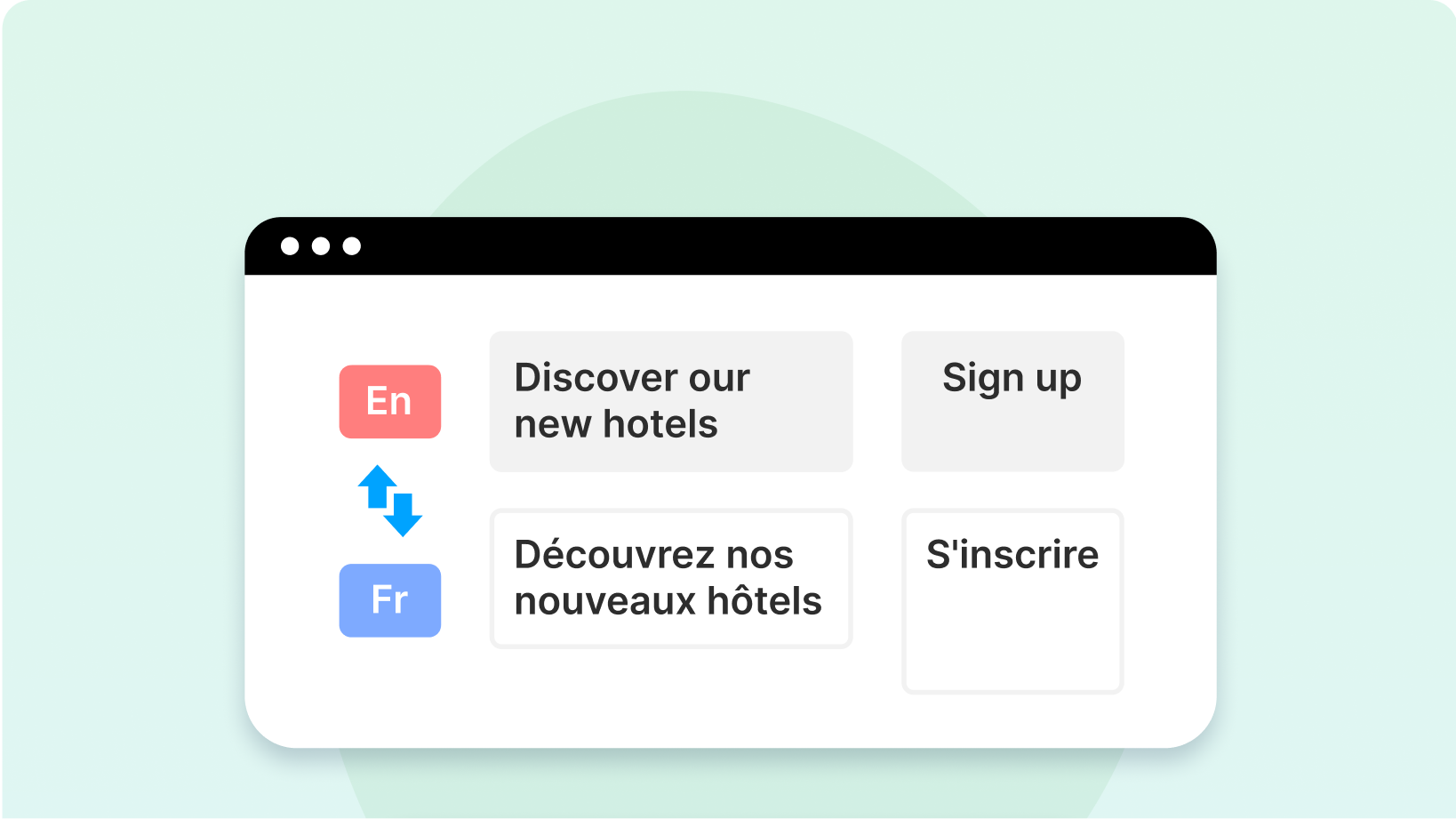
Professional human translation produces the highest quality and is essential for commercial content, legal pages, product descriptions, and anything that directly affects revenue or brand perception. A professional translator does not just convert words — they localise idioms, adjust tone for cultural context, and ensure the content reads as though it was originally written in the target language. The cost is typically £0.08–£0.15 per word, which means a 2,000-word page costs £160–£300 to translate. For a 50-page site in three languages, you are looking at £24,000–£45,000 in translation costs alone. This is real money, and it is money well spent for the content that matters most.
Machine translation with human review has become a credible middle ground. Neural machine translation (Google Translate, DeepL, Amazon Translate) has improved dramatically. DeepL in particular produces output that is close to publishable for many European language pairs. The workflow is: machine-translate the content, then have a native speaker review and edit. This typically reduces translation costs by 40–60% while maintaining quality above what Google’s algorithms will penalise. WPML, Polylang, and Weglot all support machine translation integrations that automate the initial pass.
Unedited machine translation is a risk we advise against for any content that matters. Google’s quality systems detect machine-translated content with increasing accuracy, and unedited output can suppress rankings not just for the translated page but across all language versions of your site. Beyond SEO, poorly translated content erodes trust. Research consistently shows that 72% of consumers prefer websites in their native language — but that preference assumes the language is competent. A badly translated site can be worse than no translation at all.
The practical approach for most businesses is a tiered model: professional human translation for high-value pages (homepage, service pages, product pages, checkout flow), machine translation with human review for content marketing and blog posts, and no translation for content with low international relevance. This keeps the budget focused where it drives the most commercial impact.
Decision Four: What Gets Translated and What Gets Created
Not every page on your English site needs a German equivalent. And some German pages might need to exist that have no English counterpart at all. The content architecture decision is about defining what your multilingual content model actually looks like — and it is more nuanced than “translate everything.”
There are three approaches, and most successful multilingual sites use all three across different content types.
Direct translation works for evergreen content that applies across markets: your about page, your core service descriptions, your privacy policy, your terms and conditions. The English version is the source of truth; translations mirror it. When the English page updates, the translations need updating too. This sounds simple, but it is the most common source of content drift — the English team updates a page, the translations fall behind, and six months later the German version describes services you no longer offer.
Localised adaptation goes beyond translation to adjust content for the target market. A case study featuring a UK client might be replaced with a case study featuring a German client. Pricing might change. Regulatory references might differ. The page serves the same purpose in both languages, but the content is meaningfully different. This requires more investment but produces significantly better engagement and conversion in the target market.
Market-specific creation means building content that only exists in one language because it only serves one market. A blog post about German tax implications for e-commerce. A landing page for a Spanish trade show. A resource guide referencing French employment law. This content does not exist in English and should not be forced into translation — it is original content for a specific audience. The businesses that get the most from their multilingual WordPress sites are the ones that invest in market-specific content rather than treating international audiences as a translation exercise.
We help clients map this out during the discovery phase of a multilingual project. The output is a content matrix: every page on the site, with a decision next to it — translate, adapt, create, or skip. This matrix becomes the project plan and the ongoing governance document.
Decision Five: Who Manages What After Launch
A multilingual site that nobody maintains is worse than a single-language site. The governance model — who is responsible for updating, translating, reviewing, and publishing content in each language — needs to be defined before the site launches, not figured out afterwards.
There are two governance models that work. Centralised governance means a single editorial team (usually the English-speaking team) manages the content calendar, commissions translations, and coordinates publishing across all languages. This works well for organisations where the international content is primarily translated from English and the volume is manageable. The risk is bottlenecks: the central team becomes the constraint on how quickly international content can be published.
Distributed governance means each market has editorial ownership of its own language version. The German team publishes German content. The Spanish team publishes Spanish content. A central team sets brand guidelines and content standards, but day-to-day publishing is local. This scales better and produces more authentic, market-relevant content, but it requires clear processes, shared style guides, and a WordPress setup that supports role-based permissions across language versions.
Both WPML and MultilingualPress support translation workflows within WordPress — assigning content to translators, tracking translation status, and managing approval processes. We configure these workflows during the build so that the editorial process is embedded in the CMS rather than managed through spreadsheets and email chains. Our multilingual development service includes setting up these workflows as part of the project scope.
The SEO Layer Most Multilingual Sites Get Wrong
Seventy-five per cent of websites targeting international audiences have hreflang implementation errors that directly fragment their search rankings. Hreflang is the HTML attribute that tells Google which language and regional version of a page to serve to which users. It sounds straightforward. In practice, it is the single most common source of multilingual SEO failure.
The most frequent mistake is canonical tag conflicts. Each language version of a page must canonicalise to itself — not to the English “master” version. When the German page’s canonical tag points to the English page, Google treats the German page as a duplicate and ignores it. A single error in a hreflang cluster causes Google to discard the entire cluster, meaning one broken tag can suppress all your language versions for that page.
Beyond hreflang, multilingual SEO requires localised keyword research (the German keyword for your service is not always a direct translation of the English one), region-specific metadata (title tags and meta descriptions written for each market, not translated from English), and structured data that reflects the correct language and regional context. Fifty-six per cent of all Google searches are conducted in non-English languages — the organic opportunity for properly optimised multilingual content is substantial.
WPML and Polylang both generate hreflang tags automatically, but “automatically” does not mean “correctly.” We audit the hreflang implementation on every multilingual project we deliver, testing each language version with Google’s own validation tools and checking for the canonical conflicts, missing self-referencing tags, and orphaned language versions that cause 75% of implementations to fail. If your site is already live and multilingual, our LLM AI Optimisation Audit includes international SEO checks that surface these issues alongside your broader visibility assessment.
Where Personalisation Meets Multilingual
A multilingual site shows content in the right language. A personalised multilingual site shows the right content in the right language. The difference matters.
Consider a hotel group operating in the UK, Germany, and Spain. A German visitor landing on the site should see content in German — that is the multilingual layer. But if that visitor is browsing from Munich, has visited the site twice before, and previously looked at spa packages, they should see German-language content featuring spa offers at the group’s Bavarian properties, not a generic German homepage. That is the personalisation layer.
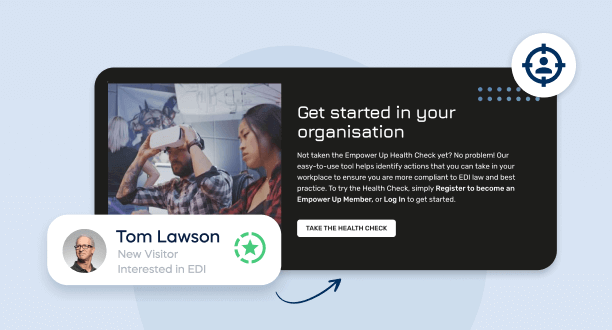
PersonalizeWP, our free WordPress personalisation plugin, works alongside WPML and other multilingual plugins to deliver exactly this. You can show or hide any block in the WordPress editor based on visitor geography, referral source, browsing behaviour, device type, and return visit status — within each language version. A German visitor from a Google Ads campaign sees different content from a German visitor arriving from an email newsletter, even though both are viewing the German site.
We explored personalisation strategy in depth in our complete guide to website personalisation and covered sector-specific applications in our article on personalisation in hospitality and travel. For multilingual sites, personalisation adds a layer of relevance that translation alone cannot achieve — turning international visitors into engaged prospects rather than passive browsers.
PersonalizeWP — Free WordPress Personalisation
Show the right content to the right visitor in the right language. PersonalizeWP works alongside WPML and other multilingual plugins to deliver region-specific, personalised experiences — completely free.
Design and UX Considerations for Multilingual Interfaces
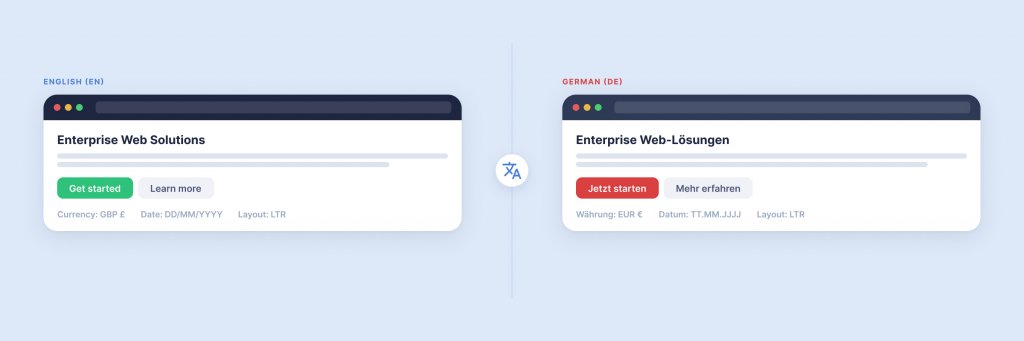
Translation changes the length of text — often dramatically. German words are typically 30% longer than their English equivalents. A navigation label that fits neatly in English might overflow in German. A call-to-action button that works in English might need two lines in French. These are not edge cases; they are certainties that need to be designed for from the start.
The language switcher itself deserves more thought than most sites give it. Flags are a common choice but a poor one — flags represent countries, not languages. The Swiss flag does not represent German, French, or Italian. The American flag does not represent all English speakers. Best practice is a text-based language switcher showing the language name in its own script (Deutsch, Español, Français), placed in a consistent, prominent location. We typically position it in the header utility bar, visible on every page without requiring users to scroll.
Right-to-left (RTL) languages like Arabic and Hebrew require a mirrored layout — navigation moves to the right, text alignment flips, icons and directional elements reverse. If RTL support is on your roadmap, the CSS architecture needs to accommodate it from the beginning. Retrofitting RTL support into a site that was built for left-to-right only is expensive and error-prone. WordPress supports RTL natively through its theme internationalisation system, but the theme must be built with RTL stylesheets in place.
Multilingual E-commerce: Where Complexity Multiplies
Taking a WooCommerce store multilingual introduces challenges that content sites do not face. Product names, descriptions, and attributes all need translating. But beyond content, you are dealing with multi-currency pricing, region-specific tax calculations, localised payment gateways (Klarna in Germany, Bizum in Spain, iDEAL in the Netherlands), and shipping rules that vary by country.
WPML’s WooCommerce Multilingual extension handles multi-currency conversion, localised product data, and translated checkout flows. MultilingualPress achieves the same through separate WooCommerce installations per language site. Both approaches work; the choice depends on whether you need a single product catalogue with translations (WPML) or separate regional catalogues with different product ranges and pricing (MultilingualPress).
The businesses that see conversion rate increases of up to 70% from multilingual e-commerce are not just translating product pages. They are localising the entire purchase journey: currency, payment methods, delivery options, returns policy, and customer service contact details. Forty per cent of consumers will not purchase from a website that is not in their language. The other 60% will not complete a checkout that does not support their preferred payment method. Both barriers need addressing.
How We Approach Multilingual Projects at Filter
Every multilingual project we deliver starts with those five decisions — URL structure, plugin choice, translation approach, content architecture, and governance model — defined and agreed before development begins. We have seen too many projects stumble because these decisions were made implicitly, discovered mid-build, or never made at all.
Our multilingual WordPress development service covers the full scope: technical architecture and plugin integration (we work with WPML, MultilingualPress, and Weglot), UX design for multilingual interfaces, multilingual SEO configuration including hreflang implementation and localised metadata, PersonalizeWP integration for region-specific personalisation, WooCommerce localisation for multi-currency and multi-market e-commerce, and translation workflow setup within WordPress.
For organisations migrating to WordPress from another platform, the multilingual architecture is a natural part of the CMS migration planning process. For existing WordPress sites adding multilingual support, we run a discovery phase to audit the current setup and define the right approach before writing any code.
We have built multilingual WordPress platforms for clients across hospitality, retail, and professional services — organisations like JD Wetherspoon and Medivet who need their digital platforms to work as hard internationally as they do in the UK. If you are evaluating WordPress multilingual for your business, get in touch or explore our multilingual services page for more on what we offer.
Having worked in agencies since he left university, Paul drives both the technical output at Filter, as well as being responsible for planning. His key strengths are quickly understanding client briefs and being able to communicate complex solutions in a clear and simple manner.
Our guide shows digital leaders and development teams how structured data earns AI citations now that systems like ChatGPT and AI Overviews, not rich results, decide visibility.
Download our practical guide to AI and WordPress, covering the new Abilities API, MCP Adapter and AI Client in core, plus how to prepare your platform for the agentic web.
Sitecore to WordPress: What to Expect from the Migration
Your Sitecore contract renewal is approaching and the numbers no longer add up. Before you commit to a migration, here is what actually happens when enterprise teams move from Sitecore to WordPress — the real costs, the content challenges, the SEO risks, and the decisions that separate smooth transitions from expensive false starts.